


The Cisco UCS B200 M5 is a half-width blade server built for dense, virtualized data centers. It launched in 2017 and became a workhorse in many UCS environments. Today, it’s also a previous-generation product. Cisco stopped selling it in 2023.
So this guide covers what the B200 M5 offers, where it stands in its lifecycle, and what to do next. Whether you’re keeping blades running, upgrading, or retiring them, you’ll find the details here.
Cisco UCS B200 M5 at a Glance
| Spec | Details |
|---|---|
| Released | June 2017 |
| Chassis | Cisco UCS 5108 (6RU), up to 8 half-width blades |
| Processors | Up to 2 Intel Xeon Scalable or 2nd Gen Intel Xeon Scalable CPUs, up to 28 cores each |
| Memory | 24 DDR4 slots (up to DDR4-2933), up to 3 TB with 128 GB DIMMs |
| Persistent memory | Up to 12 slots ready for Intel Optane DC Persistent Memory, up to 6 TB |
| Storage | Up to 2 hot-pluggable 2.5-inch HDD, SSD, or NVMe drives |
| Boot options | Optional SD cards or M.2 SATA drives, plus support for one internal 16 GB flash USB drive |
| Networking | mLOM Cisco UCS VIC 1340 or 1440 (2-port, 40 GbE), optional rear mezzanine VIC, up to 80 Gbps total |
| GPUs | Up to 2 optional |
| Management | Cisco UCS Manager |
What Is a Blade Server?
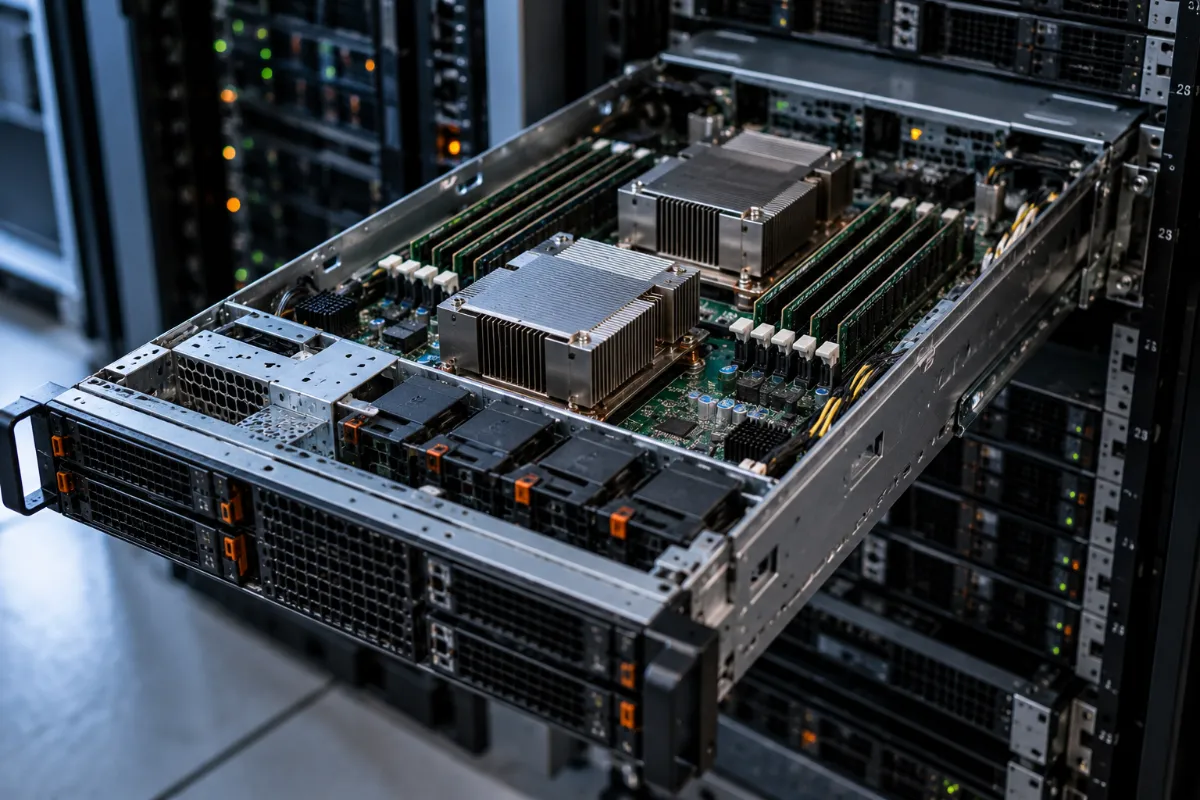
A blade server is a slim, modular server that slides into a shared chassis. The chassis supplies power, cooling, and networking. Because blades share those resources, you can pack many servers into a small space.
Blade servers differ from traditional rack servers in a few ways:
- Density. A single 6RU chassis holds up to eight B200 M5 blades.
- Cabling. Shared connections mean less cable clutter.
- Management. One management layer controls many blades.
- Upfront cost. You need a chassis and fabric interconnects before the first blade does any work.
That last point matters. Blades reward scale. They’re rarely the cheapest route for a small business with a handful of servers.
Overview of the Cisco UCS B200 M5
Cisco designed the B200 M5 for workloads like virtual desktop infrastructure (VDI), web infrastructure, distributed databases, converged infrastructure, and enterprise applications such as Oracle and SAP HANA. Cisco UCS Manager lets admins deploy and configure servers programmatically. Cisco SingleConnect simplifies the cabling by running everything through a single connection per chassis.
You can also configure each blade to match your storage needs. That way, you don’t pay to power and cool components you never use.
Key Features
- Compute: Up to two Intel Xeon Scalable or 2nd Gen Xeon Scalable processors, with up to 28 cores per CPU
- Memory: 24 DDR4 DIMM slots, with up to 3 TB total using 128 GB DIMMs
- Persistent memory: Up to 12 slots ready for Intel Optane DC Persistent Memory, reaching 6 TB
- Networking: A 40 GbE mLOM adapter, plus an optional rear mezzanine card for up to 80 Gbps
- Storage: Two optional 2.5-inch drives with RAID or pass-through controllers
- Flexible boot: Optional SD cards, M.2 SATA drives, or an internal flash USB drive
- Acceleration: Support for up to two GPUs
- Density: Eight blades fit in a single 6RU UCS 5108 chassis
Blade vs. Rack: When Does a Blade Server Make Sense?
Compare these four factors before you commit.
- Density. Blades pack more compute into less space. That helps when floor space is tight.
- Power and cooling. Shared power supplies and fans can improve efficiency at scale. Results vary by configuration.
- Cost. Blades usually cost more upfront because you need the chassis and fabric infrastructure. Over time, density and shared resources can offset that cost.
- Maintenance. Fewer cables and shared components simplify day-to-day care. But the chassis becomes a shared dependency.
Blades fit best when you run dozens of servers. If you run only a few, a rack server often makes more sense. For a broader look at how Cisco compares with other vendors, see our guide on HPE vs. Dell servers.
Is the B200 M5 Still a Good Buy? Lifecycle Dates
The B200 M5 is now a legacy product. Here are the key milestones:
| Milestone | Date |
|---|---|
| Released | June 2017 |
| End-of-life announced | May 1, 2023 |
| End of sale | October 30, 2023 |
| End of new service attachment (SmartNet) | October 29, 2024 |
| Last date of support | October 31, 2028 |
Two details deserve attention:
- Service contracts. After October 29, 2024, you can’t add new B200 M5 blades to a Cisco support contract. Blades already covered stay supported until the final date.
- Fabric interconnects. Cisco ended support for UCS 6200 Series fabric interconnects on May 31, 2024. B200 M5 servers connected to those need newer fabric interconnects to keep Cisco TAC support.
Cisco also lists field notices about certain drive models in UCS servers. One notice from September 2026 covers performance issues in some drives after 7.5 years of run time. B200 M5 blades installed in 2018 or 2019 are approaching that mark. Check Cisco’s notices against your drive models.
So where does the B200 M5 still fit? It works well if you already run a UCS chassis and want to expand it with refurbished blades. Cisco says customers can still buy it through its Certified Refurbished Equipment program. It makes less sense as the foundation of a brand-new deployment.
What Replaced the B200 M5?
Cisco’s B200 M6 followed the M5, but Cisco announced end of sale for the B200 M6 and the UCS 5108 chassis in October 2025. The B-Series line is winding down. Cisco’s current modular platform is the UCS X-Series. Here’s how the latest X-Series compute node compares:
| B200 M5 | UCS X210c M8 | |
|---|---|---|
| Chassis | UCS 5108 (6RU), up to 8 blades | UCS X9508 (7RU), up to 8 nodes |
| Processors | Xeon Scalable / 2nd Gen, up to 28 cores each | Intel Xeon 6, up to 86 cores each |
| Memory | DDR4, up to 3 TB | DDR5-6400, up to 8 TB |
| Management | UCS Manager | Cisco Intersight (UCS Manager 4.3(6) or later also supported) |
X-Series nodes use a different chassis, so you can’t slot them into a UCS 5108. Moving to X-Series means new chassis and new fabric planning. That’s a good moment to review your whole infrastructure. Our IT equipment refresh services can help you plan it. If you’re also weighing processor options, our server processor buyer’s guide covers current chips.
Retiring Your B200 M5 Blades? Start Here
Upgrading to X-Series leaves you with retired hardware. Before it leaves your building, handle three things.
1. Find the Data-Bearing Parts
A blade holds more data than you might expect. Check these components:
- Hard drives, SSDs, and NVMe drives
- SD cards and M.2 boot drives
- The internal flash USB drive
- Intel Optane persistent memory, if installed. It’s non-volatile, so it can keep data after power is removed.
- Management configuration stored in your UCS environment
2. Sanitize Everything Properly
Wipe or destroy each component following current NIST SP 800-88 Revision 2 guidance. Our data erasure and physical data destruction services handle both options. We document every step with chain of custody records.
3. Check What It’s Worth
Retired blades, memory, and drives often carry real resale value. Industry benchmarks show server resale values climbing this year, driven by tight memory and storage markets. Our asset recovery and value return programs help you recover that value. You can also sell used servers to us directly. Retiring fabric interconnects and switches too? Our partner site buys used servers and networking equipment.
For full chassis and rack removals, our hardware removal and data center decommissioning teams handle the heavy lifting. Anything without resale value goes through R2v3-certified recycling. For a step-by-step process, read our end-of-life IT asset management guide.
Frequently Asked Questions
Is the Cisco UCS B200 M5 still supported?
Yes, but only until its last date of support, which Cisco lists as October 31, 2028. Cisco stopped selling the blade in October 2023. Since October 2024, you can no longer add new B200 M5 blades to Cisco service contracts. Blades already under contract stay covered until the final date.
How many B200 M5 blades fit in a UCS 5108 chassis?
Up to eight half-width blades fit in one 6RU UCS 5108 chassis.
What replaced the Cisco B200 M5?
The B200 M6 followed it, but Cisco has also announced end of sale for that blade and the 5108 chassis. Cisco’s current modular platform is the UCS X-Series, such as the X210c M8 compute node with Intel Xeon 6 processors.
Can I still buy a B200 M5?
Yes. Cisco says customers can buy it through its Certified Refurbished Equipment program. The secondary market also carries used blades.
What data should I remove before selling or recycling a B200 M5?
Wipe or destroy every data-bearing part: drives, SD cards, M.2 boot drives, the internal USB drive, and any Optane persistent memory. Follow NIST SP 800-88 Revision 2 and keep documentation for each device.
Can I sell my retired B200 M5 blades?
Yes. Blades, memory, drives, and processors from a B200 M5 often have resale value. Get them evaluated before you recycle anything.
Ready to Retire or Upgrade Your UCS Hardware?
Moving from B-Series to X-Series, or clearing out an entire chassis? Contact DES Technologies to protect your data, recover value, and recycle what’s left responsibly.