

IT refresh projects keep your business moving. They also create risk when old equipment is not tracked, secured, or retired correctly.
DES Technologies helps organizations plan and execute IT equipment refresh services. DES supports secure logistics, asset tracking, data destruction, remarketing, and certified recycling.
Replacing laptops, desktops, servers, storage, or office hardware? DES helps your team refresh with less disruption and better documentation.
Request an IT refresh consultation before your next rollout, relocation, or hardware upgrade.
What Is an IT Refresh?
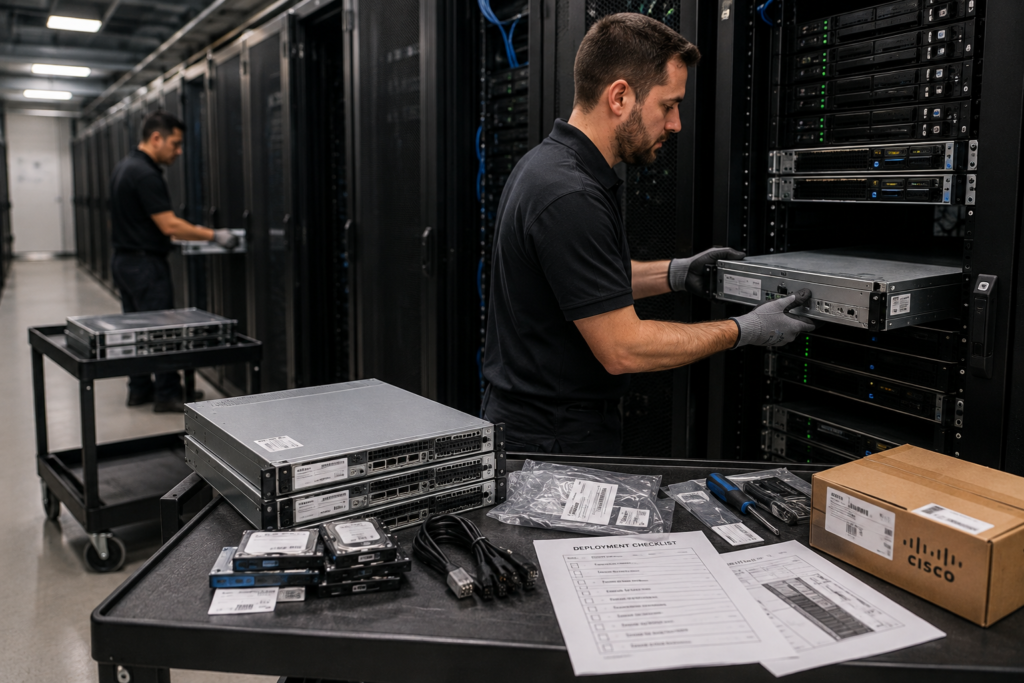
An IT refresh is the planned replacement or upgrade of business technology. It may include PC refresh projects, laptop refreshes, server refreshes, storage refreshes, networking upgrades, or full office relocations.
A strong technology refresh plan answers three questions:
- What equipment is being deployed?
- What equipment is being retired?
- How will data, value, and disposal be handled?
DES helps your team manage that process from planning through final disposition.
IT Refresh Services We Support
| Refresh Type | Common Need | DES Support |
|---|---|---|
| Laptop refresh | Employee device upgrades and fleet replacements | Asset tracking, pickup, data destruction, and remarketing |
| Desktop refresh | Office PC replacement projects | Secure removal, inventory, and recycling |
| Server refresh | Replacing aging infrastructure | Data destruction, decommissioning, and asset recovery |
| Storage refresh | Replacing drives, arrays, and backup systems | NIST 800-88 aligned data destruction and reporting |
| Office relocations | Moving or retiring IT equipment during a site change | Logistics, sorting, removal, and disposition |
| Hardware upgrades | Extending the life of active systems | Parts sourcing, lifecycle planning, and retired asset handling |
Benefits of a Managed Enterprise Hardware Refresh
Refresh projects can become messy fast. Devices move between departments. Drives get missed. Old assets sit in storage. Resale value drops while teams wait for a final plan.
DES helps reduce that pressure with a structured process.
Key benefits include:
- Cleaner refresh planning
- Less disruption for IT teams
- Secure handling of retired devices
- Serialized asset documentation
- Chain of custody for sensitive equipment
- Value recovery through remarketing
- Certified recycling for non-reusable hardware
- Better support for audits and compliance reviews
How the DES Refresh Process Works
1. Plan the Scope
DES reviews the equipment type, locations, schedule, risk level, and reporting needs. This helps define the right plan for a PC refresh, server refresh, storage refresh, or larger enterprise hardware refresh.
2. Track and Remove Assets
DES helps document retired equipment before it leaves your control. Assets can be tracked by serial number, asset tag, quantity, location, and category.
3. Secure Data Destruction
Retired laptops, desktops, servers, drives, and storage arrays may still hold sensitive data. DES supports secure data destruction aligned with NIST 800-88 and provides documentation for compliance teams.
4. Remarket or Recycle
Reusable hardware can be tested for remarketing and value recovery. End-of-life equipment is routed through R2v3 certified recycling channels.
5. Provide Closeout Reporting
DES can provide asset reports, certificates of data destruction, recycling documentation, and disposition records. These records help your team close the project with confidence.
Compliance, Security, and Sustainability
Every IT refresh creates a data security decision. Old hardware may contain customer records, patient data, student files, credentials, employee data, or business records.
DES helps reduce that risk through secure handling and chain of custody. DES also supports Zero Trace data assurance options and NIST 800-88 aligned workflows. For regulated organizations, this can support HIPAA, government, education, financial, and enterprise compliance needs.
Sustainability matters too. Remarketing extends the life of usable equipment. Certified recycling keeps non-reusable electronics out of unsafe channels and supports responsible IT lifecycle management.
Why Choose DES Technologies
DES Technologies has supported enterprise technology customers since 1965. DES is based in Rancho Cucamonga, California, and serves organizations nationwide.
Teams choose DES because we understand both sides of a refresh. New equipment needs to go in cleanly. Retired equipment needs to come out securely. DES supports logistics, ITAD, data destruction, remarketing, recycling, and documentation in one coordinated process.
Plan Your Next IT Refresh With DES
If your organization is planning a laptop refresh, desktop refresh, server refresh, storage refresh, office relocation, or hardware upgrade, DES can help. Our team can manage the full process.
Contact DES Technologies to request a quote, schedule a consultation, or submit an equipment list.
Frequently Asked Questions
What is included in an IT equipment refresh?
An IT equipment refresh may include planning and deployment support. It may also include retired asset pickup, asset tracking, data destruction, remarketing, recycling, and closeout reporting.
How often should a business refresh IT equipment?
Most organizations refresh laptops and desktops every three to five years. Servers, storage, and networking equipment may follow different cycles based on performance, warranty, security, and budget needs.
Can DES support a laptop or PC refresh?
Yes. DES supports laptop refresh and PC refresh projects with secure pickup, inventory, data destruction, asset reporting, remarketing, and recycling.
What happens to old servers during a server refresh?
Old servers can be inventoried, decommissioned, sanitized, remarketed, or recycled. DES can also support larger data center decommissioning projects.
How does DES protect data during a refresh?
DES uses secure handling, chain of custody, and data destruction workflows aligned with NIST 800-88. DES can provide certificates and asset-level documentation.