Upgrading your IT infrastructure is exciting — it means better performance, improved security, and new capabilities. But there’s one part of the process that’s easy to overlook: what happens to the devices you retire.
Every old laptop, desktop, server, or storage device holds sensitive data. If that data isn’t handled properly, it can lead to serious risks — from costly data breaches to regulatory fines. That’s why EOL device decommissioning (End-of-Life) and secure hardware retirement are essential.
In this guide, we’ll cover:
- The risks of improper IT asset disposal
- A step-by-step checklist for secure decommissioning
- The benefits of using a professional ITAD service
- How DES Technologies helps businesses retire devices safely and responsibly
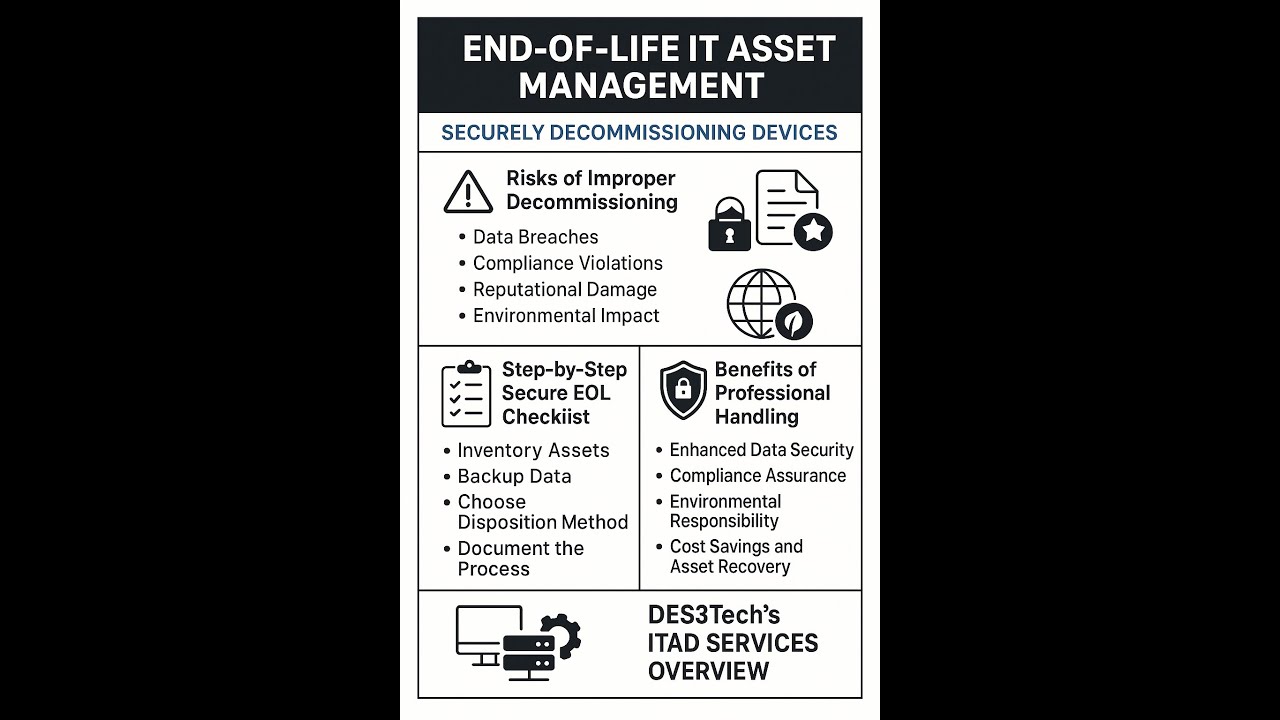
1. The Risks of Improper Device Decommissioning
Failing to securely decommission retired devices isn’t just a mistake — it’s a liability. Here are the biggest dangers:
Data Breaches
Even if you delete files or reformat drives, traces of sensitive information can remain. Data recovery tools — many free — can easily restore it.
This could expose:
- Customer data
- Financial records
- Intellectual property
- Employee details
The financial stakes here are significant. IBM’s 2025 Cost of a Data Breach Report puts the global average cost of a breach at $4.44 million, and the US average at $10.22 million — a record high for the 15th consecutive year.
Compliance Violations
If you work in a regulated industry like healthcare, finance, or government, you must follow strict rules when handling sensitive data.
Laws and standards include:
- HIPAA (healthcare data privacy)
- GDPR (EU data protection)
- PCI DSS (payment card security)
- SOX (financial record integrity)
Breaking these rules during IT asset disposition can mean fines, lawsuits, and reputational damage.
Reputational Harm
Customers expect you to protect their data. One slip during device retirement can destroy years of trust — and it’s hard to rebuild.
Environmental Risks
Old devices often contain hazardous materials like lead, mercury, and cadmium. If they’re dumped instead of recycled, the result is:
- Environmental pollution
- Potential legal action
- Negative PR for your company’s sustainability record
2. Secure EOL Device Decommissioning: Step-by-Step Checklist
Decommissioning is more than erasing files — it’s a complete, documented process. Here’s how to do it right:
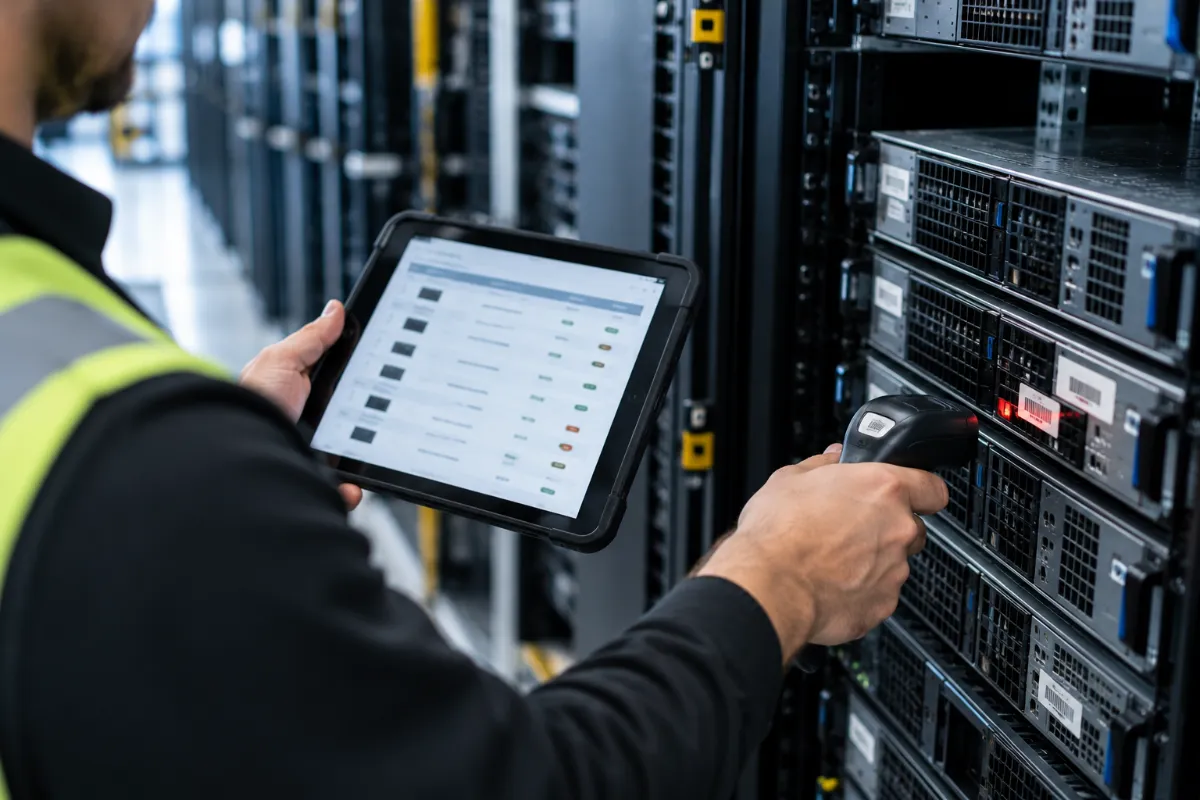
Step 1: Inventory Your Assets
Keep a detailed list of all hardware:
- Device type (laptop, server, etc.)
- Data sensitivity level
- Serial numbers
- Lifecycle stage
Step 2: Backup or Migrate Data
Before wiping anything, securely back up important files or move them to new systems. Test backups to make sure they work.
Step 3: Choose a Disposal Method
Options include:
- Data wiping — Software overwriting to make data unrecoverable
- Degaussing — Magnetic destruction of data on tapes/disks
- Physical destruction — Shredding, crushing, or disintegrating drives
- Resale/remarketing — Only after certified data destruction
- Recycling — Environmentally safe processing for unusable devices
Step 4: Follow Recognized Standards
Use current guidelines like:
- NIST SP 800-88 Revision 2 (media sanitization) — the current federal guidance, which replaced Revision 1 in September 2025
- R2v3 and e-Stewards (responsible recycling certifications)
Worth knowing: DoD 5220.22-M, a multi-pass overwrite standard still referenced in some older industry content, hasn’t been the official U.S. government sanitization standard since 2006, when it was dropped from the National Industrial Security Program Operating Manual in favor of NIST 800-88. Some commercial tools still offer it as a wipe option, but it’s a legacy method, not a current standard, and it isn’t effective for SSDs at all — overwriting can actually wear down flash storage without reliably sanitizing it. NIST SP 800-88 Revision 2 is the standard to reference today.
Step 5: Keep Detailed Records
Document:
- Asset serial numbers
- Destruction method used
- Certificates of destruction/recycling
This is crucial for audits and compliance checks. See our full guide on what a Certificate of Destruction should include.
Step 6: Work With a Certified ITAD Provider
A reputable provider will:
- Offer secure chain-of-custody tracking
- Meet industry-specific compliance needs
- Provide proof of destruction and recycling
3. Why Use a Professional ITAD Service?
Some businesses try to handle EOL device decommissioning in-house. But there are big advantages to outsourcing to experts.
Stronger Data Security
Certified ITAD providers use advanced, verified destruction techniques and can even perform destruction on-site. Learn more about our on-site services.
Guaranteed Compliance
Professionals keep up with evolving regulations — including standards updates like the recent shift to NIST 800-88 Revision 2 — and ensure every step meets legal and industry requirements.
Eco-Friendly Disposal
Certified recyclers reduce e-waste and safely handle hazardous materials.
Cost Savings
Refurbished equipment can be resold, with profits offsetting service costs. See our asset recovery programs.
Less Work for Your IT Team
Your staff can focus on core operations while the ITAD provider handles the entire process.
4. How DES Technologies Handles IT Asset Disposition
At DES Technologies, we see secure hardware retirement as a vital security and compliance step — not just an afterthought. Our ITAD services protect your data, your reputation, and the environment.
Full Asset Tracking
- Complete chain-of-custody from pickup to final disposal
- Secure transport with GPS tracking
- Tamper-evident containers for added protection
Certified Data Destruction
- On-site or off-site destruction
- Aligned with current NIST SP 800-88 Revision 2 guidance
- Certificates of Destruction provided for your records
Environmentally Responsible Recycling
- R2v3 certified
- Zero-landfill e-waste policy
- Focus on component reuse to minimize waste
Strict Security Protocols
- Background-checked staff
- Restricted access facilities
- Video-monitored destruction areas
Value Recovery
- Refurbishment and resale programs
- Revenue-sharing options to cut costs
Industry-Specific Solutions
From healthcare to finance, we tailor our ITAD process to your compliance and security requirements.
Frequently Asked Questions
Is DoD 5220.22-M still a valid data destruction standard?
No, not officially. It was removed from the National Industrial Security Program Operating Manual in 2006 and replaced by NIST SP 800-88 as the federal sanitization standard. Some commercial software still offers it as a legacy option, but current best practice references NIST SP 800-88 Revision 2 instead — and DoD 5220.22-M’s multi-pass overwrite approach isn’t effective for SSDs at all.
What changed with NIST SP 800-88 Revision 2?
NIST withdrew Revision 1 in September 2025 and replaced it with Revision 2, which shifts the focus from a fixed list of sanitization techniques toward building a full, risk-based media sanitization program. Any organization’s policy still citing Revision 1 should be updated.
Do I need to physically destroy every retired device?
No. Physical destruction is one of several disposition paths. Devices that can be sanitized to an appropriate level and still have resale value are often better candidates for resale or redeployment, while only devices requiring the highest security assurance, or those with no resale value, typically go to physical destruction.
How long should decommissioning records be kept?
Retention requirements vary by industry and regulation, but many organizations keep serial numbers, destruction certificates, and chain-of-custody records for several years beyond the required minimum, as protection in case of a later audit or dispute.
Conclusion
When you retire a device, its lifecycle isn’t over — it still holds valuable (and vulnerable) information.
Without proper EOL device decommissioning, you risk:
- Data breaches
- Legal penalties
- Environmental damage
- Loss of customer trust
Following a secure process, keeping detailed records, and partnering with a trusted ITAD provider like DES Technologies ensures your devices are decommissioned safely, legally, and responsibly. Contact our team to get started.