

Remote workforce ITAD helps organizations recover, track, secure, and disposition laptops and other business devices held by remote employees. DES Technologies coordinates approved return logistics, reconciles serial numbers, protects data, evaluates equipment for redeployment or resale, and documents exceptions and final disposition — with full tracking, secure transport, and reporting from the moment a device leaves an employee’s home.
Planning a device recovery program, or handling a one-time need? Contact our team to scope your approach.
The Distributed-Device Problem
Recovering equipment from employees scattered across home offices creates challenges that don’t exist when everyone works from one building. Common friction points include:
- Home offices — No centralized location to collect from means every device return is its own logistics event.
- Inconsistent packaging — Employees packing their own equipment for return often don’t protect it properly, leading to shipping damage.
- Incomplete asset records — Many organizations don’t have a fully accurate record of which employee has which device, serial number, and accessories.
- Unresponsive former employees — Once someone has left the organization, getting them to actually return equipment can become a prolonged, awkward process.
- Damaged equipment — Devices that traveled home and back can arrive with damage that wasn’t documented at any point.
- Missed accessories — Chargers, docks, and peripherals frequently don’t make it back with the main device.
- Data risk — A laptop sitting in a former employee’s home for weeks or months is a data security exposure your organization can’t fully control.
- HR/help-desk burden — Without a structured process, device recovery becomes a manual, time-consuming task for HR and IT support staff.
Use Cases We Support
Remote workforce ITAD applies across a range of employee and organizational transitions:
- Employee separation
- Contractor offboarding
- Remote-to-office transitions
- Laptop refreshes
- Office closures
- Layoffs and reorganizations
- Mergers
- Device standardization initiatives
- Multi-state recovery programs
Program Options
Every organization’s remote workforce looks different, so we support several return program structures:
- Company-coordinated shipping — We arrange shipping logistics directly with each employee.
- Employee return kits — Pre-packaged kits sent to employees with everything needed for a proper, protected return.
- Scheduled business pickup — Coordinated pickup for employees at business locations or regional hubs.
- Local drop-off — Designated drop-off points for employees near existing facilities.
- Bulk returns from regional offices — Consolidated returns where employees bring devices to a regional office first.
- Hybrid program — A combination of the above methods, tailored to your workforce distribution.
We’ll help determine which option, or combination of options, fits your program based on your employee count, locations, and timeline.
Devices We Cover
We handle recovery and disposition for the device types most common in a distributed workforce:
- Laptops
- Desktops
- Monitors
- Docks
- Mobile devices
- Tablets
- External drives
- Peripherals
- Networking equipment (where applicable)
We separate data-bearing devices from non-data-bearing accessories throughout the process, since each category requires different handling.
The Employee Recovery Workflow
Our process follows eight steps, designed to maintain accountability from the employer’s roster all the way to final disposition:
- Employer roster — You provide the list of employees, devices, and serial numbers expected for return.
- Employee instructions — Employees receive clear instructions for their specific return method.
- Approved return method — The device moves through the return channel established for your program.
- Tracking event — Shipment or pickup tracking begins, giving visibility into the device’s location.
- DES receipt — We log receipt of the device against your roster.
- Serial and condition reconciliation — Each device is checked against expected serial numbers and assessed for condition.
- Data sanitization and disposition decision — Data-bearing devices are sanitized or destroyed per your approval, and a disposition path is determined.
- Closeout report and exception list — You receive full reporting, including any devices that didn’t reconcile as expected.
Inventory and Exception Management
Your employer roster typically includes employee name, device type, serial number, and expected accessories. When something doesn’t match expectations, we document it as an exception, including:
- Serial number mismatch
- Non-return (employee never sent the device)
- Missing charger or other accessory
- Physical damage
- Encrypted or locked device
- Device not received despite shipment confirmation
- Package damage in transit
Every exception gets documented and reported back to you, so nothing falls through the cracks silently.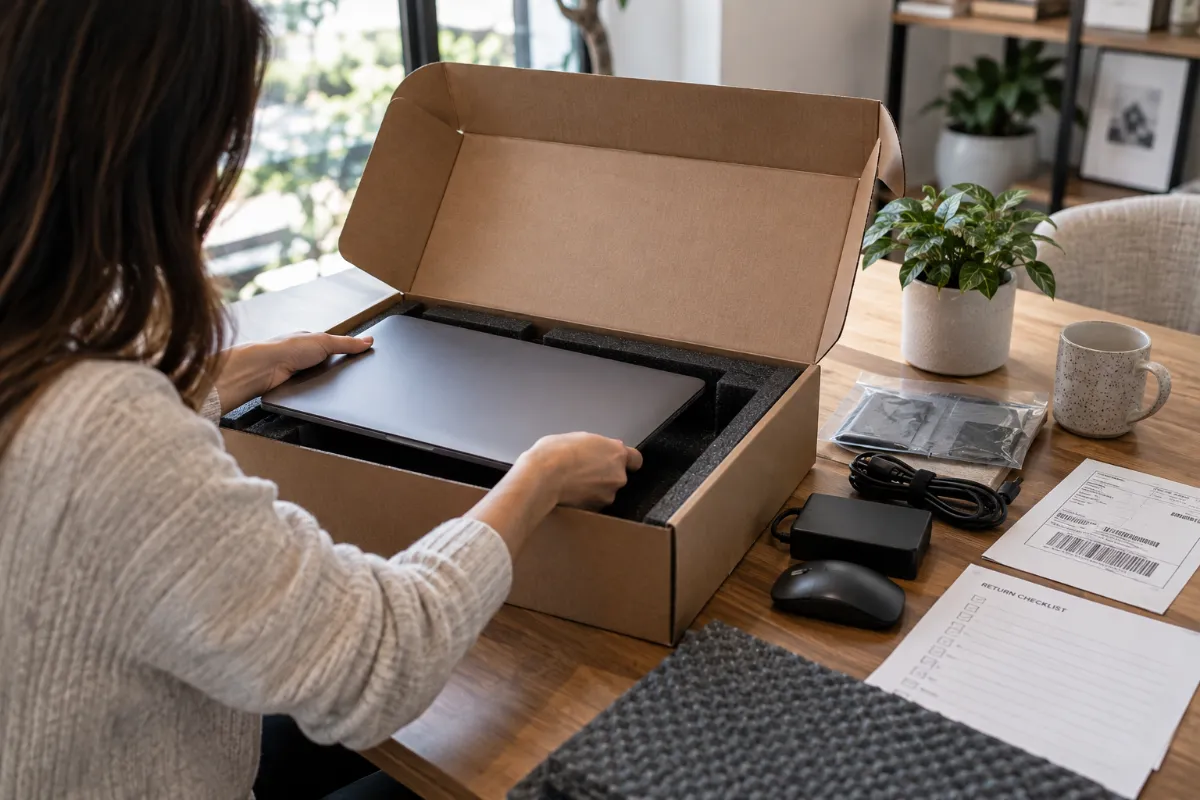
Data Security and Privacy
Remote device recovery involves real privacy and security considerations, and we handle them deliberately:
- Custody start points — Chain of custody begins the moment the device leaves the employee’s possession, whether that’s a shipping carrier pickup or a physical handoff.
- Tamper-evident options — Available for programs requiring additional shipping security assurance.
- Employee address handling — Employee home addresses are handled with appropriate privacy controls and are not shared beyond what’s necessary to complete the return.
- Data sanitization — Every data-bearing device is sanitized or destroyed according to your policy and current standards.
- Device locks — MDM enrollment, encryption, or account locks are identified early, since they can affect how a device is processed.
- Legal holds — Devices subject to a legal hold are segregated and excluded from sanitization or destruction until formally released.
- Approval controls — Data actions require your organization’s authorization before proceeding.
Our approach follows the same chain of custody standards used across all DES engagements.
Redeploy, Resell, Recycle, or Return
Once a device is recovered, sanitized, and assessed, it follows one of four paths, each requiring your organization’s approval:
- Redeploy — Reassigned to another employee within your organization, supporting your broader IT asset lifecycle management strategy.
- Resell — Evaluated through our asset buyback program if it carries resale value.
- Recycle — Processed through certified recycling if it has no resale value or reuse case.
- Return — Sent back to a lessor if the device falls under a lease arrangement, similar to our equipment refresh support.
We don’t move any device down one of these paths without your organization’s sign-off first.
Reporting Outputs
At the end of a recovery cycle, or on an ongoing basis for larger programs, you receive reporting covering:
- Units received against your roster
- Documented exceptions
- Serial number match results
- Condition findings per device
- Data sanitization results
- Final disposition per device
- Value recovery, where applicable
This gives your IT, security, and finance teams a clear, defensible record of what happened to every device in the program.
Frequently Asked Questions
What is remote workforce ITAD?
Remote workforce ITAD is the process of recovering, tracking, securing, and disposing of laptops and other business devices held by employees who work outside a central office location, including offboarding, data destruction, and reporting.
How do remote employees return company laptops?
Depending on your program design, employees can return devices through company-coordinated shipping, pre-packaged return kits, scheduled pickup, local drop-off, or bulk returns through a regional office.
How is chain of custody maintained during a remote return?
Chain of custody begins the moment the device leaves the employee’s possession, whether through carrier pickup or physical handoff, and continues through tracking, receipt, reconciliation, and final disposition.
What happens if an employee returns the wrong device?
It’s documented as a serial number mismatch exception and reported back to you, so your team can follow up directly with the employee to resolve the discrepancy.
Can returned laptops be redeployed?
Yes. After sanitization, devices in good condition can be redeployed to another employee within your organization as part of your broader asset lifecycle strategy.
What happens to locked or encrypted devices?
Locked or encrypted devices are identified early in the process, since MDM enrollment or account locks can affect how they’re processed. We work with your team to resolve access before proceeding with sanitization or disposition.
Can DES manage a one-time layoff or office closure?
Yes. Remote workforce ITAD supports one-time events like layoffs and office closures just as effectively as ongoing offboarding programs.
What reporting should the employer receive?
You should receive reporting on units received, exceptions, serial number matches, condition findings, data sanitization results, final disposition, and any value recovery from resold equipment.
Ready to Build Your Device Recovery Program?
Tell us your employee count, states or countries involved, device types, deadline, whether your asset roster is ready, preferred return method, data handling policy, redeployment plan, and reporting requirements. Contact our team to get started.