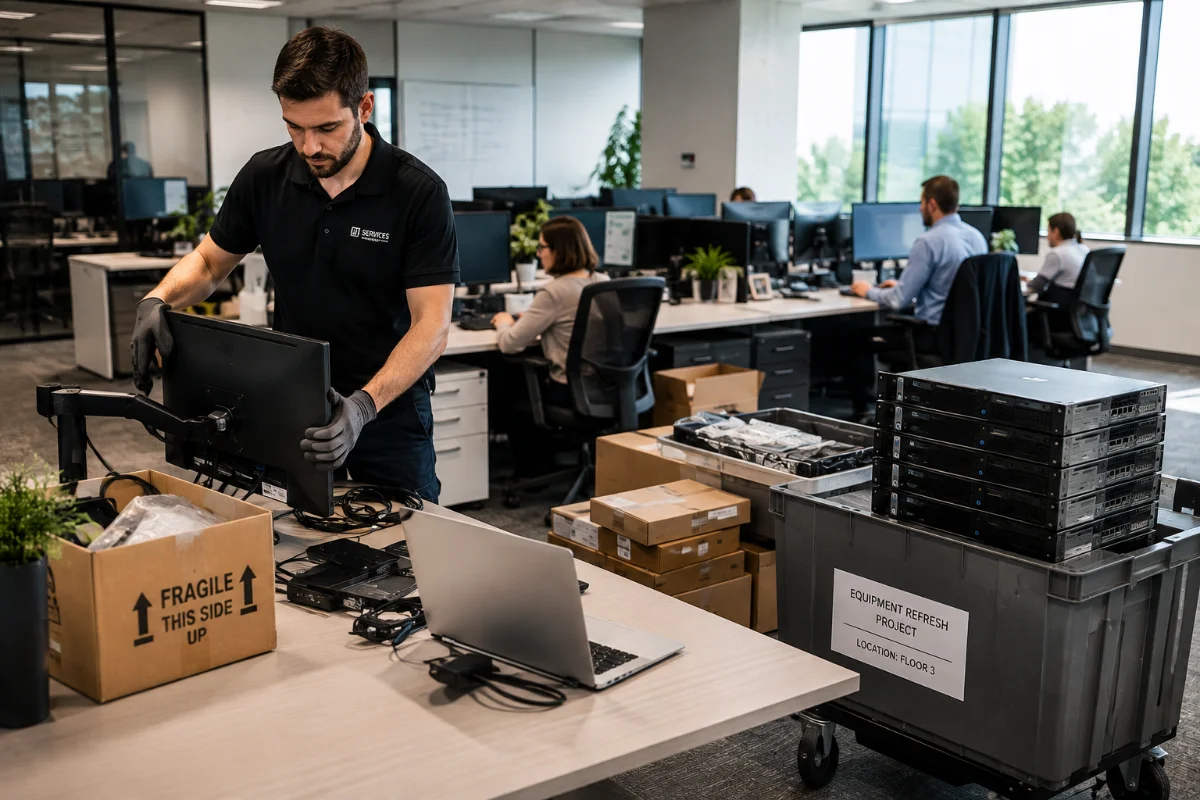
An IT refresh sounds simple until the old equipment starts piling up.
New laptops arrive. Old desktops move into storage. Servers are pulled from racks. Drives get separated from systems. Storage arrays still hold data. Then someone asks the hard question: what happens to everything we just retired?
That is where IT equipment refresh services matter.
An IT refresh is not only a rollout of new hardware. It is also a controlled process for tracking, securing, retiring, remarketing, and recycling old assets. Done well, it lowers risk and helps recover value. Done poorly, it creates lost equipment, missed drives, audit gaps, and unnecessary e-waste.
For the full service overview, visit DES Technologies’ IT Equipment Refresh Services page.
Quick Answer: What Is an IT Refresh?
An IT refresh is the planned replacement or upgrade of business technology. It may include laptops, desktops, PCs, servers, storage, networking gear, hardware upgrades, or office relocation support.
A strong IT refresh plan should answer:
- What equipment is being deployed?
- What equipment is being retired?
- Where are the retired assets located?
- Which devices may contain data?
- How will assets be tracked?
- What can be remarketed?
- What must be recycled?
- What documentation will the organization need?
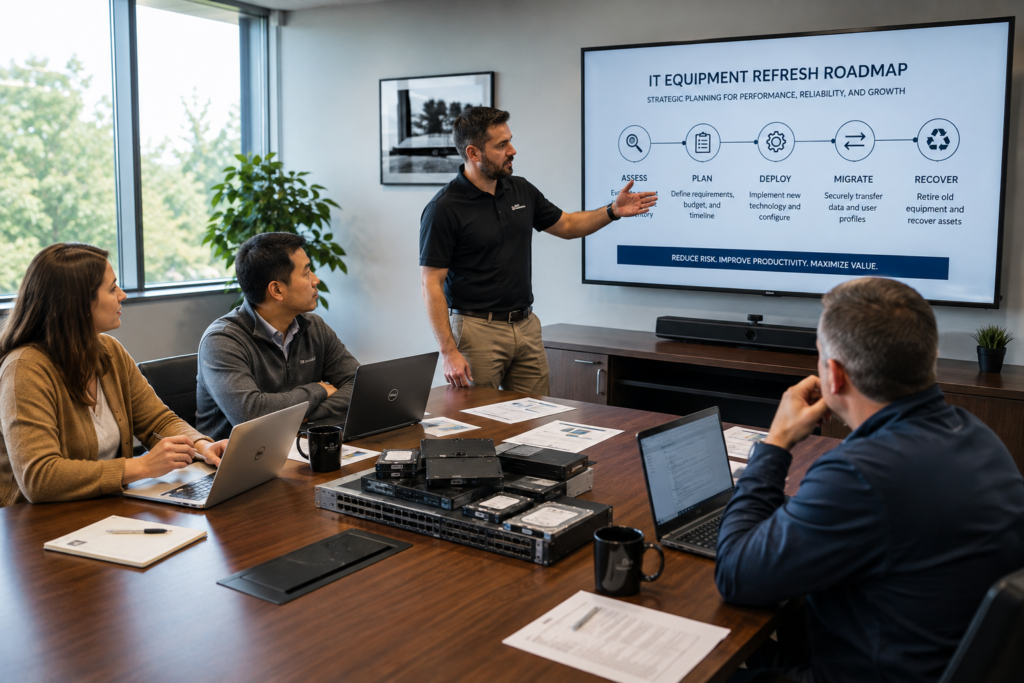
The best refresh projects handle both sides of the work. New equipment goes in. Old equipment comes out with control.
Why IT Refresh Projects Get Risky
Refresh projects move fast. IT teams have users to support, deadlines to meet, and systems to keep online. That pressure can make retired equipment an afterthought.
Common problems include:
- Old laptops stored in unlocked rooms
- Missing asset tags
- Untracked hard drives or SSDs
- Servers removed without a disposition plan
- Storage arrays retired without data destruction records
- Equipment shipped without chain of custody
- Usable hardware recycled too early
- Outdated assets sitting until resale value drops
These issues create more than clutter. They can create security, compliance, budget, and sustainability problems.
The Main Types of IT Refresh Projects
Most organizations do not refresh everything at once. Each project has its own risk profile.
| Refresh Type | Common Trigger | Biggest Risk |
|---|---|---|
| Laptop refresh | Employee device lifecycle or OS upgrade | Retired devices may still hold sensitive data |
| Desktop refresh | Office PC replacement | Bulk assets can be hard to track |
| Server refresh | Aging infrastructure or performance needs | Drives, RAID sets, and logs may be missed |
| Storage refresh | Capacity, speed, or support limits | Arrays, SSDs, HDDs, and tapes can hold large data sets |
| Office relocation | Move, closure, or consolidation | Equipment may be rushed, mixed, or lost |
| Hardware upgrades | Extending system life | Removed parts may still have value or data risk |
Laptop Refresh and PC Refresh Planning
Laptop and PC refresh projects are common. They can also become messy because they involve many users, many locations, and many small devices.
Before the rollout starts, create a simple plan:
- Confirm which users receive new devices
- Track each old laptop or desktop by serial number
- Decide how drives will be erased or destroyed
- Separate working devices from damaged units
- Identify accessories, docks, monitors, and peripherals
- Keep asset reports for finance and compliance
For schools, healthcare groups, government offices, and distributed businesses, this step matters even more. User devices often contain local files, cached credentials, email data, browser data, and business records.
Server Refresh Planning
Server refresh projects carry a different kind of risk. A retired server may hold drives, RAID configurations, logs, backup files, virtual machines, databases, or credentials.
Before pulling equipment, ask:
- Which servers are being replaced?
- Which drives are inside each unit?
- Is data stored locally or on shared storage?
- Will any equipment be reused internally?
- Which assets have resale value?
- Does the project need onsite data destruction?
- What records are required after completion?
DES can support server refresh projects with data center decommissioning. Services may include secure removal, inventory, data destruction, asset recovery, and recycling.
Storage Refresh Planning
Storage refresh projects need careful handling. Storage arrays, SSDs, HDDs, backup systems, and tape media often hold the most sensitive data in the environment.
During a storage refresh, your team should map:
- Drive counts
- Drive serial numbers
- Array models
- Backup media
- Failed drives
- Spare drives
- Data destruction method
- Final disposition
Data destruction should match the media type and risk level. DES supports workflows aligned with NIST 800-88, which helps organizations choose the right method to clear, purge, or destroy data.
Office Relocations and Hardware Upgrades
Office relocations create a natural refresh point. Teams often discover old desktops, monitors, network gear, printers, servers, and storage hardware during a move.
The best time to handle retired assets is before the relocation. Waiting until moving week usually creates rushed decisions.
DES can help sort equipment into clear groups:
- Redeploy
- Repair
- Remarket
- Destroy
- Recycle
Hardware upgrades also create leftover assets. Memory, drives, processors, switches, and servers may still hold value. A structured refresh plan helps your team avoid throwing away equipment that can be reused or remarketed.
Data Destruction: The Step You Cannot Skip
Every IT refresh creates a data security decision.
Retired equipment may contain:
- Customer records
- Patient data
- Student files
- Employee information
- User credentials
- Business documents
- Logs
- Backups
- System images
Deleting files is not enough. Factory resets may not be enough. A refresh project should include a documented data destruction plan.
DES supports secure handling, chain of custody, NIST 800-88 aligned workflows, and documentation for compliance teams. DES can also support Zero Trace data assurance options for higher-risk projects.
Remarketing and Recycling: Recover Value, Reduce Waste
Old equipment is not always worthless. Many retired assets still have resale or reuse value when they are handled quickly and correctly.
Remarketing may help recover value from:
- Business laptops
- Desktop PCs
- Servers
- Storage systems
- Enterprise drives
- Memory
- Processors
- Networking equipment
- Telecom hardware
Timing matters. The longer equipment sits, the more value it may lose.
When assets cannot be reused, certified recycling is the better path. DES is an R2v3 certified ITAD provider, which supports responsible recycling, downstream controls, and environmental reporting.
What a Strong Technology Refresh Plan Includes
A strong technology refresh plan is simple, but complete.
It should include:
- Project scope
- Device list
- Locations
- Pickup schedule
- Asset tracking method
- Data destruction plan
- Chain of custody process
- Remarketing review
- Recycling path
- Closeout reporting
This structure helps IT teams avoid last-minute decisions. It also helps procurement, finance, compliance, and sustainability teams understand what happened to retired assets.
Why Choose DES Technologies
DES Technologies helps organizations manage both sides of an enterprise hardware refresh. New equipment needs to go in cleanly. Retired equipment needs to come out securely.
DES supports:
- Laptop refresh projects
- Desktop and PC refresh projects
- Server refresh projects
- Storage refresh projects
- Office relocations
- Hardware upgrades
- Retired asset pickup
- Secure data destruction
- Chain of custody
- Remarketing and value recovery
- R2v3 certified recycling
- Closeout documentation
DES has supported enterprise technology customers since 1965. Our team understands IT refresh work, ITAD, data security, compliance, and enterprise hardware.
Final Takeaway
An IT refresh is not finished when the new equipment is installed.
The project is finished when the retired equipment is tracked, secured, sanitized, remarketed, recycled, and documented. That is what protects your organization from data exposure, lost assets, missed value, and poor recycling outcomes.
If your organization is planning a laptop refresh, desktop refresh, server refresh, storage refresh, office relocation, or hardware upgrade, start with DES. Review the IT Equipment Refresh Services page.
Contact DES Technologies to request a quote, schedule a consultation, or submit an equipment list.
Frequently Asked Questions
What is included in an IT equipment refresh?
An IT equipment refresh may include planning and deployment support. It may also include retired asset pickup, tracking, data destruction, remarketing, recycling, and reporting.
How often should a business refresh IT equipment?
Most organizations refresh laptops and desktops every three to five years. Servers, storage, and networking equipment may follow different cycles based on performance, warranty, security, and budget needs.
Can DES support laptop refresh and PC refresh projects?
Yes. DES supports laptop refresh and PC refresh projects with secure pickup, inventory, data destruction, asset reporting, remarketing, and recycling.
What happens to old servers during a server refresh?
Old servers can be inventoried, decommissioned, sanitized, remarketed, or recycled. DES can also support larger data center decommissioning projects.
How does DES protect data during a refresh?
DES uses secure handling, chain of custody, and data destruction workflows aligned with NIST 800-88. DES can provide certificates and asset-level documentation.