What Happens to Your Data When You Recycle a Server or Hard Drive?
In today’s digital landscape, where data breaches and privacy scandals make headlines weekly, what happens to your data when you retire an old server or hard drive is far more important than most businesses realize. Simply recycling your old server isn’t as straightforward—or as secure—as it seems. Discarded storage devices can pose significant risks if not handled properly, leading to potential data leakage, compliance violations, and reputational damage.
In this comprehensive guide, we’ll demystify the server and hard drive recycling process, explain critical concepts like data remanence, secure server disposal, and secure decommissioning, and most importantly, outline how you can ensure zero data leakage in your organization’s lifecycle management.
Why Simply Recycling Isn’t Enough
The Hidden Threat: Data Remanence
When you delete files from a hard drive, they don’t disappear immediately. Data remnants—known as data remanence—linger in various forms, such as unallocated space, residual magnetic signatures, or cached data fragments. Even reformatting a drive often leaves behind retrievable traces that malicious actors can exploit using forensic recovery tools.
Servers, especially those used in corporate data centers, typically store vast amounts of sensitive data: customer records, proprietary designs, financial information, or critical business intelligence. When these servers are decommissioned, failing to address data remanence can leave your organization exposed long after the hardware has left your premises.
Secure Server Disposal: The Gold Standard
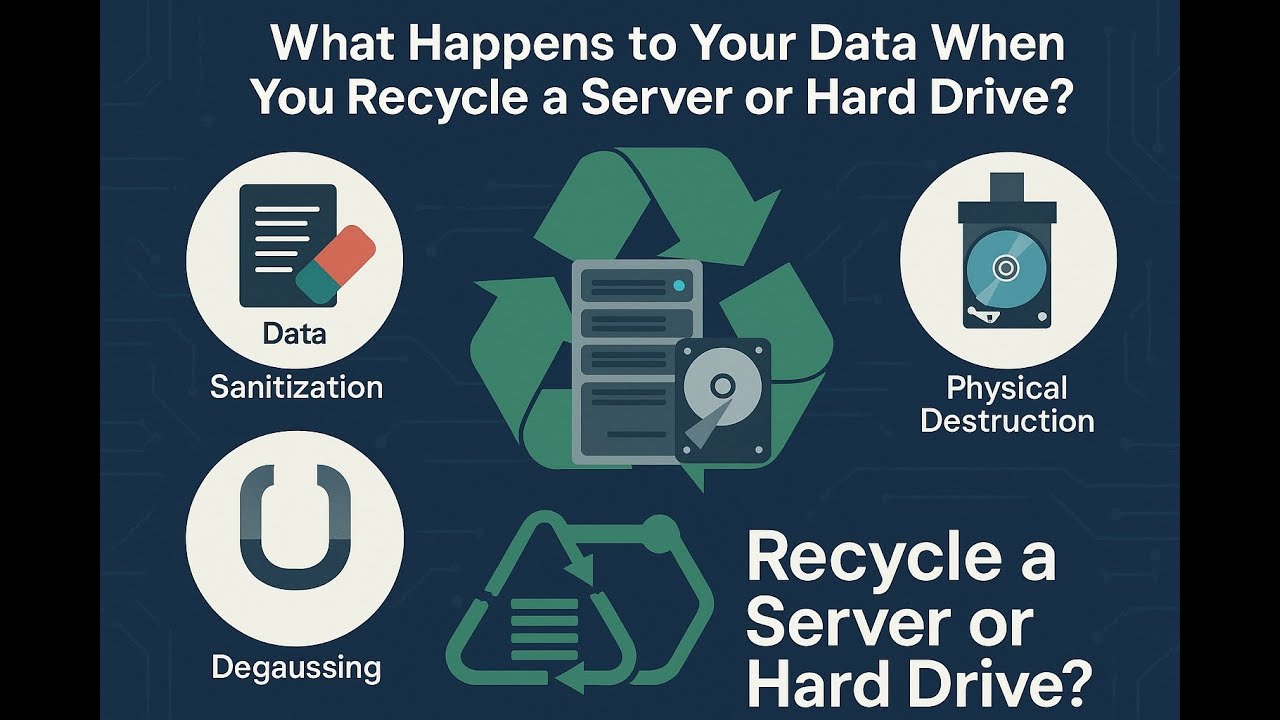
To combat the risk of data remanence, organizations must implement secure server disposal practices. Secure disposal is more than just physical destruction; it involves methodical processes to ensure data is unrecoverable before recycling hardware. Key disposal strategies include:
1. Data Sanitization
This method involves overwriting every sector of the storage device with random or fixed patterns multiple times. Popular sanitization methods include:
-
NIST 800-88 Clear and Purge Guidelines
-
DoD 5220.22-M Overwrite Method
-
ATA Secure Erase Commands
While data sanitization is effective, it can be time-consuming for large data centers. However, it offers a sustainable approach where hardware can be safely repurposed or resold after wiping.
2. Degaussing
Degaussing demagnetizes hard drives, rendering them unreadable by disrupting magnetic fields that store data. While highly effective for magnetic media, it doesn’t work for solid-state drives (SSDs), which store data electronically.
3. Physical Destruction
When drives cannot be reused or require the highest security standards, physical destruction ensures total data obliteration. Techniques include:
-
Shredding drives into fine particles.
-
Crushing drives using hydraulic presses.
-
Incinerating drives (less common due to environmental risks).
Each method permanently destroys the drive’s physical structure, rendering data recovery impossible.
Secure Decommissioning: Beyond Disposal
Secure decommissioning encompasses more than just the disposal phase. It is a structured, organization-wide process to systematically retire IT assets securely. Key stages include:
-
Asset Inventory & Documentation:
Track all servers and storage devices due for decommissioning, maintaining serial numbers, location records, and associated data types. -
Risk Assessment:
Evaluate what data resides on each asset and classify its sensitivity. 
Data Sanitization or Destruction:
Depending on risk levels and future reuse plans, apply appropriate data erasure or physical destruction methods.-
Chain-of-Custody Documentation:
Maintain logs from data sanitization to final disposal to ensure traceability and compliance. -
Certified Recycling Partner:
Engage an R2 (Responsible Recycling) or e-Stewards certified recycling vendor. Ensure they provide certificates of data destruction and environmental compliance. -
Internal Auditing:
Periodically review decommissioning procedures and vendor processes to ensure continued compliance.
Secure decommissioning ensures a holistic approach where hardware and data risks are mitigated before, during, and after disposal.
The Role of Certified Recycling Vendors
A critical component of preventing data leakage during hardware disposal is choosing the right recycling partner. Look for vendors who:
-
Are R2v3 Certified (Responsible Recycling) or e-Stewards Certified.
-
Provide Certificates of Data Destruction.
-
Offer documented chain-of-custody protocols.
-
Support on-site destruction services for high-risk data.
-
Comply with local and international data protection regulations (GDPR, HIPAA, CCPA, etc.).
Do not assume that all recyclers meet these standards—many smaller vendors do not sanitize or destroy data properly, prioritizing resale without robust security processes.
Why Zero Data Leakage Must Be Your Standard
Legal and Regulatory Pressures
Depending on your industry, improper disposal of servers or hard drives may violate:
-
GDPR (General Data Protection Regulation)
-
HIPAA (Health Insurance Portability and Accountability Act)
-
PCI DSS (Payment Card Industry Data Security Standard)
-
SOX (Sarbanes-Oxley Act)
-
CCPA (California Consumer Privacy Act)
Penalties for non-compliance can range from substantial fines to legal action—not to mention reputational harm.
Real-World Breaches
Several high-profile cases demonstrate how neglected hardware disposal can lead to data breaches. A well-known case involved a healthcare provider fined heavily after patient data was recovered from improperly discarded hard drives.
Your Role: Ensuring Data Security from Start to Finish
As an IT manager, security officer, or business leader, you play a pivotal role in ensuring secure server disposal:
-
Develop an Internal Policy:
Create clear, mandatory policies for decommissioning IT assets, specifying who is responsible at each stage. -
Implement Training Programs:
Educate your team on data remanence risks and proper sanitization methods. -
Vet Recycling Partners Rigorously:
Don’t select recyclers based solely on price. Insist on transparency, certifications, and process documentation. -
Document Every Step:
Keep thorough records of all disposal activities for audits, compliance, and peace of mind. -
Consider On-Site Destruction:
For sensitive environments, investing in on-site shredders or crushers eliminates risks tied to off-site handling.
Demystifying the Server Recycling Process
Let’s break down the server recycling process in clear steps:
-
Decommission & Inventory:
Tag servers as EOL (End of Life), update inventories, and disconnect securely. -
Secure Data Erasure or Destruction:
Wipe drives using certified software or physically destroy storage media. -
Component Recovery:
Remove usable parts like RAM, CPUs, and PSUs for internal reuse or resale. -
Environmental Disposal:
Recycle metals, plastics, and electronic boards according to environmental regulations. -
Compliance Certification:
Obtain destruction and recycling certificates for audit trails.
Conclusion: Building a Culture of Secure Disposal
Recycling old servers or hard drives is not just an environmental responsibility; it’s a critical security concern. Understanding data remanence, enforcing secure server disposal, and executing secure decommissioning ensure your organization achieves zero data leakage.
Remember: once your hardware leaves your building, the control over your data effectively ends—unless you’ve ensured it’s been properly sanitized or destroyed.
Organizations that treat server disposal with the same rigor as live data protection will not only prevent devastating breaches but also reinforce trust with customers, regulators, and partners.
Final Checklist: Zero Data Leakage Disposal
-
✅ Maintain an accurate IT asset inventory.
-
✅ Classify data sensitivity on all devices.
-
✅ Choose sanitization or physical destruction based on risk.
-
✅ Work exclusively with certified recycling vendors.
-
✅ Insist on chain-of-custody documentation.
-
✅ Keep compliance certificates.
-
✅ Regularly audit your disposal process.
By embedding these practices into your IT asset management lifecycle, you safeguard your data even in retirement—the true hallmark of responsible digital stewardship.