
Upgrading your home with the latest smart home technology can feel like stepping into the future. Apple’s HomeKit ecosystem has made it easier than ever to control your lights, thermostats, cameras, locks, and appliances right from your iPhone or iPad. With every new generation of devices, Apple continues to add power, speed, and smarter integrations.
But that raises a question: what do you do with the old Apple gear you’re leaving behind?
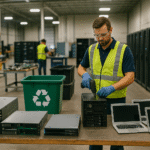
Whether you’re upgrading your iPhone, replacing an old iPad, or finally retiring a MacBook that has seen better days, you may be tempted to toss it into a drawer or—worse—dump it in the trash. The truth is, those old devices can either continue serving a purpose in your smart home setup, or they can be responsibly recycled so they don’t end up as e-waste.
This guide explores how to repurpose, recycle, or trade in outdated Apple devices while leveling up your smart home.
Why You Shouldn’t Throw Away Old Apple Devices
Before we dive into creative reuses, it’s important to understand why tossing your old devices is the worst possible option.
-
E-waste is harmful: Electronics contain toxic materials such as lead, mercury, and lithium that can pollute the environment if not handled properly.
-
Data security risks: Discarding an old iPhone or MacBook without wiping it properly could expose your personal information.
-
Missed value: Old Apple devices often hold surprising resale or trade-in value. Even broken ones may be worth something for parts.
-
Lost opportunity for reuse: Many devices still have functional screens, batteries, and Wi-Fi connections—perfect for smart home roles.
In short: Don’t throw them away. You have better options.
Repurposing Old iPhones in Your Smart Home
Your retired iPhone doesn’t have to become a paperweight. With a little creativity, it can become a key player in your Apple HomeKit setup.
1. Dedicated Smart Home Controller
Instead of unlocking your new iPhone every time you want to adjust a smart light or thermostat, repurpose your old iPhone as a dedicated HomeKit remote. Mount it on a wall or leave it on the coffee table for quick access.
2. Baby Monitor or Pet Camera
Download monitoring apps or use FaceTime to turn your iPhone into a 24/7 baby monitor or a way to peek in on your pets while you’re away. Pair it with a simple stand and you’re good to go.
3. Security Camera
Third-party apps like Alfred or Manything can transform your iPhone into a fully functioning Wi-Fi camera, perfect for monitoring your home when you’re out.
4. Universal Remote
From Apple TV to Sonos speakers, older iPhones can serve as remote control hubs for multiple systems. This is especially useful in rooms where you don’t want to carry your main phone.
Using Old iPads Around the House
An iPad that’s too slow for everyday browsing can still serve brilliantly in a fixed role.
1. Smart Home Dashboard
Mount your old iPad on the wall in the kitchen or living room and run the Home app or a dashboard app like Home+ 6. It becomes a central command station for your smart home.
2. Digital Recipe Book
Keep your old iPad in the kitchen loaded with recipe apps or bookmarked cooking websites. No more getting flour on your new iPhone while you’re baking.
3. Entertainment Screen
Older iPads are perfect as secondary media screens. Use them for Netflix, Apple Music playlists, or as a dedicated eBook reader.
4. Digital Picture Frame
Turn your iPad into a constantly rotating display of family photos by setting up the Photos app or a slideshow app.
How Old MacBooks Can Stay Useful
Unlike phones and tablets, laptops feel more “all or nothing.” But old MacBooks can still live meaningful second lives.
1. Smart Home Server
With some light tinkering, an old MacBook can become the brains of your smart home, running Homebridge or other automation tools to connect non-HomeKit devices.
2. Media Server
Store movies, music, or family videos and stream them across your Apple TV and iOS devices with Plex or a similar media server.
3. Learning Device for Kids
If it still runs, an older MacBook can be repurposed as a homework or coding laptop for children without risking your newest machine.
4. Donate for Education
Schools, nonprofits, and community groups often welcome older laptops. As long as they still power on, someone can benefit.
Trade-In and Recycling: A Smarter Path
If you’re ready to fully part with your old Apple devices, the best route is recycling or trade-in programs.
Apple’s Trade-In Program
Apple itself offers trade-in credits or Apple Store gift cards for many devices. Even if your device is too old, they’ll recycle it for free.
Third-Party Options
Carriers, retailers, and online platforms also provide trade-in opportunities. While these can offer cash, they may not guarantee secure disposal.
The DES Technologies Advantage
Here’s where DES Technologies steps in. Unlike standard recycling, DES Technologies ensures:
-
Smart, secure disposal of your devices.
-
Data security through verified wiping procedures.
-
Sustainability by keeping old devices out of landfills.
-
Business-level trade-in support, perfect for families or companies upgrading multiple devices.
This means you’re not only protecting your data—you’re also contributing to a greener planet.
The Bigger Picture: Smart Home Technology and Sustainability
As we embrace smart home technology, sustainability should remain part of the conversation. New gadgets may save energy, but the way we handle the devices we replace is just as important.
1. Circular Economy in Tech
Recycling old Apple devices contributes to a circular economy—where products are reused, refurbished, or broken down for parts instead of being wasted.
2. Reducing Carbon Footprints
Manufacturing new devices consumes resources and energy. Extending the life of existing hardware reduces overall demand.
3. Responsible Tech Ownership
Smart homes should also be responsible homes. That means upgrading thoughtfully, reusing creatively, and recycling securely.
Step-by-Step: What to Do with Your Old Apple Devices
Here’s a simple checklist to follow before giving your device a new purpose—or letting go of it.
-
Back up your data: Use iCloud or an external drive.
-
Sign out of Apple ID: Prevents activation lock issues.
-
Erase all content and settings: A must for security.
-
Remove SIM cards and accessories: Don’t forget chargers.
-
Decide its future: Repurpose, trade in, donate, or recycle.