Most IT problems do not start on the day equipment gets retired. They start much earlier.
A laptop gets deployed without a clean record. A server is upgraded but never updated in inventory. A storage array is moved to a closet “for now.” Years later, the organization has a pile of retired hardware, missing asset data, unknown drives, and no easy way to prove what happened to sensitive information.
That is exactly why IT Asset Lifecycle Management matters.
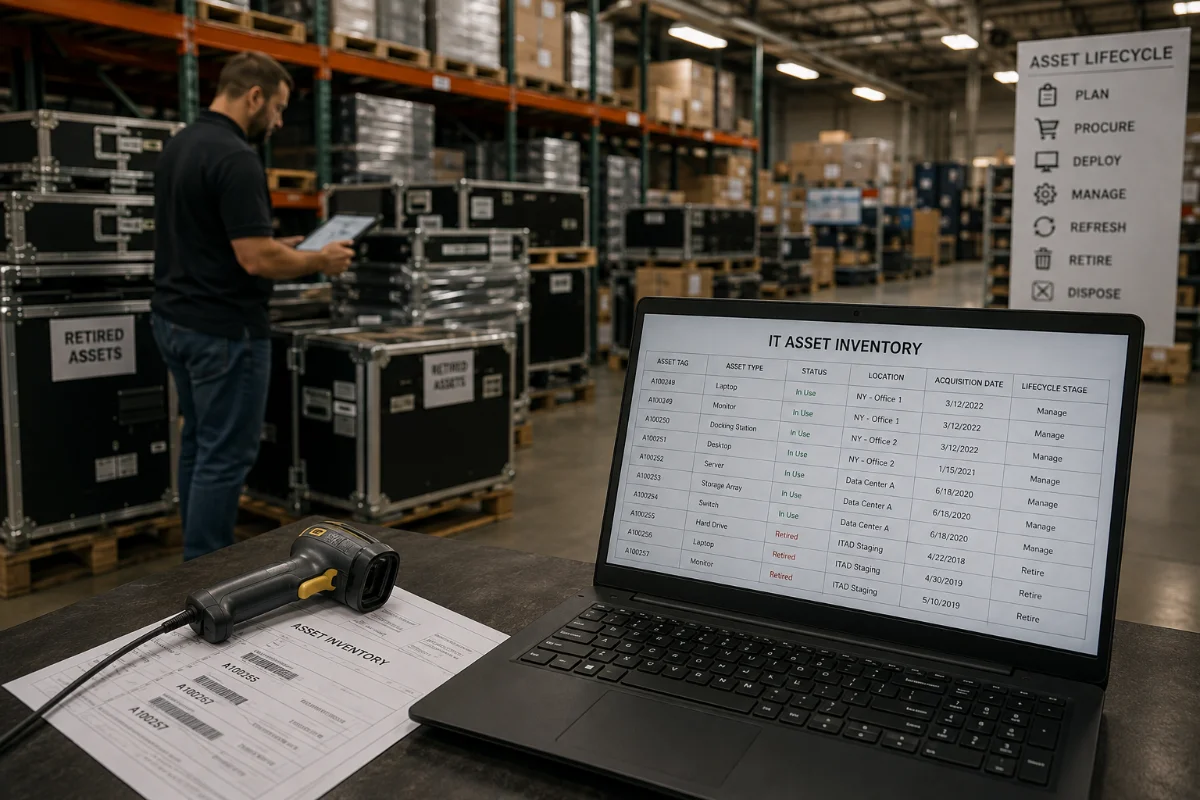
IT Asset Lifecycle Management is the process of managing technology from purchase through final disposition. It covers procurement, deployment, maintenance, asset tracking, retirement, data destruction, remarketing, and recycling.
For a deeper service overview, visit DES Technologies’ IT Asset Lifecycle Management page.
Quick Answer: What Is IT Asset Lifecycle Management?
IT Asset Lifecycle Management is a structured process for controlling IT equipment at every stage of its life. It helps organizations know what they own, where assets are located, who uses them, when they should be refreshed, and how they should be retired.
A strong lifecycle program helps IT teams:
- Plan hardware purchases
- Deploy devices with clean records
- Track assets by serial number or tag
- Maintain and upgrade equipment
- Retire devices at the right time
- Destroy data securely
- Recover value through remarketing
- Recycle non-reusable equipment responsibly
In simple terms, lifecycle management gives your team control before, during, and after equipment is in use.
Why Lifecycle Management Is a Missing Opportunity
Many organizations treat ITAD as the last step. They call a vendor when equipment is already stacked in a storage room or pulled from a data center.
That works in an emergency, but it leaves value on the table.
When lifecycle planning starts earlier, your team can make better decisions. You can schedule refreshes before equipment fails. You can track which assets still have resale value. You can decide which devices need onsite data destruction. You can also avoid rush projects that create compliance gaps.
This is where enterprise asset lifecycle planning becomes a real business advantage.
The 8 Stages of IT Asset Lifecycle Management
Each stage affects cost, risk, and asset value. Here is the full lifecycle in plain English.
| Stage | What It Means | Why It Matters |
|---|---|---|
| Procurement | Planning and sourcing hardware | Reduces waste and improves refresh timing |
| Deployment | Setting up and assigning devices | Keeps records accurate from day one |
| Maintenance | Repairs, upgrades, and spare parts | Extends useful hardware life |
| Asset Tracking | Recording location, user, serial number, and status | Prevents lost assets and audit gaps |
| Retirement | Removing equipment from active use | Starts the highest-risk phase |
| Data Destruction | Erasing, shredding, or destroying data-bearing media | Protects sensitive information |
| Remarketing | Reselling reusable equipment | Helps recover value |
| Recycling | Processing end-of-life electronics | Supports sustainability and compliance |
The best programs connect all eight stages. They do not treat retirement as a separate cleanup job.
Procurement: Start With the End in Mind
Procurement is not only about buying hardware at the best price. It is also about choosing equipment that fits your support model, security needs, refresh cycle, and resale plan.
Before buying, ask:
- How long will this asset stay in service?
- Will we need spare parts?
- Can this hardware be upgraded later?
- Does the device support secure data destruction?
- What is the likely residual value?
- How will this asset be tracked?
These questions help procurement teams avoid short-term savings that create long-term problems.
Deployment: Build Clean Records Early
Deployment is the best time to create a clean asset record. Once devices are in the field, missing details become harder to fix.
At deployment, your team should capture:
- Make and model
- Serial number
- Asset tag
- User or department
- Location
- Warranty or support status
- Drive type and capacity, when needed
- Purchase date and expected refresh date
Good deployment records make future IT lifecycle services much easier. They also help during audits, refresh planning, and ITAD projects.
Maintenance: Extend Useful Life Without Losing Control
Maintenance keeps equipment useful. It may include repairs, upgrades, spare parts, firmware updates, and warranty management.
This stage matters because lifecycle value is not always about replacing hardware quickly. Sometimes the smarter move is to extend the life of servers, storage systems, laptops, or networking gear.
But there is a balance. Keeping equipment too long can increase downtime, security risk, and support costs.
A good hardware lifecycle management plan helps your team decide when to repair, replace, remarket, or recycle.
Asset Tracking: The Backbone of the Program
Asset tracking is where many lifecycle programs succeed or fail. If your team cannot trust the inventory, every later step becomes harder.
Strong asset tracking should answer:
- What do we own?
- Where is it located?
- Who is responsible for it?
- Does it contain data?
- Is it active, stored, retired, or missing?
- What is the next action?
This is especially important for regulated industries. Healthcare organizations, schools, government agencies, and financial teams often need clear records for audits and compliance reviews.
The National Institute of Standards and Technology also highlights the importance of IT asset management in security programs. NIST SP 1800-5 focuses on helping organizations improve visibility into IT assets and reduce operational risk.
Retirement: The Point Where Risk Spikes
Retirement is the moment when equipment leaves active use. It is also the moment when many organizations lose control.
Common mistakes include:
- Moving retired devices into storage without updating records
- Leaving drives inside old servers
- Mixing data-bearing and non-data-bearing assets
- Sending hardware to a recycler with no chain of custody
- Waiting too long and losing resale value
- Accepting a bulk certificate with no asset detail
This is where DES Technologies can help. DES supports ITAD services that connect secure pickup, tracking, data destruction, remarketing, and recycling.
Data Destruction: Protect the Information, Not Just the Device
A retired device can still hold sensitive data. That may include customer records, patient data, student files, employee information, credentials, backups, emails, or system logs.
Deleting files is not enough. Factory resets are not always enough either.
Data destruction should match the media type and risk level. Common methods include:
- Software-based erasure
- Cryptographic erase
- Degaussing for certain magnetic media
- Shredding
- Crushing
- Physical destruction
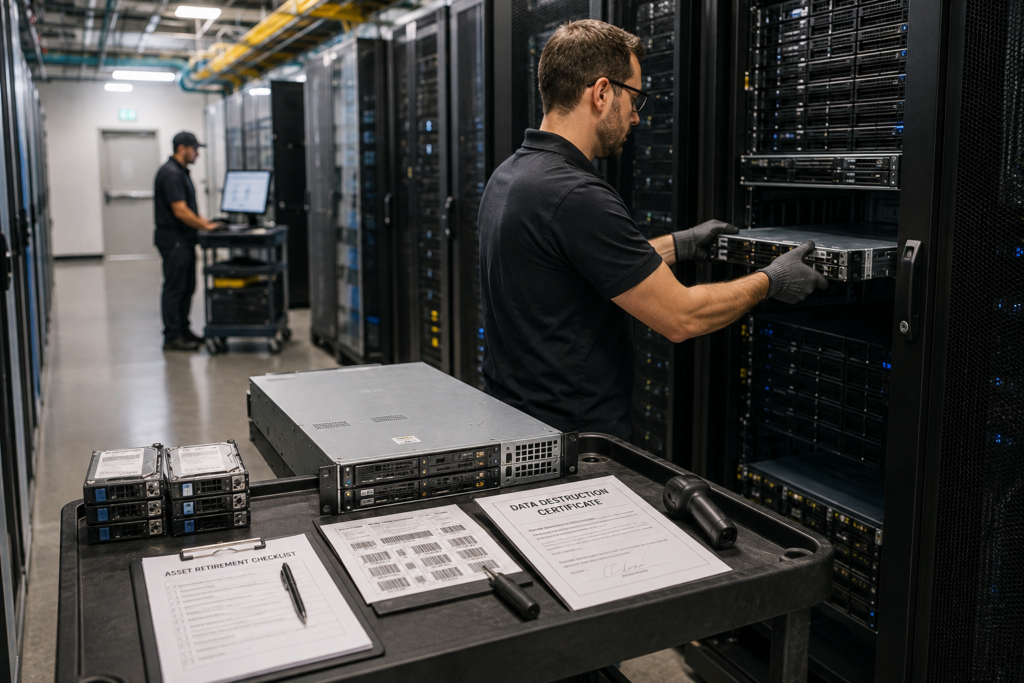
DES supports data destruction workflows aligned with NIST 800-88. DES also provides chain of custody and asset-level documentation for compliance teams.
Remarketing: Recover Value Before It Disappears
Retired equipment may still have value. Servers, storage systems, drives, memory, processors, networking gear, and enterprise laptops can often be remarketed when they are tested and handled correctly.
Timing matters. Hardware usually loses value as newer generations enter the market. A strong device lifecycle management process helps your team act before resale value drops too far.
Remarketing can help offset:
- Hardware refresh costs
- Data center decommissioning costs
- Office cleanout costs
- Deployment costs
- Recycling costs
The key is documentation. Your team should know what was sold, what was recycled, what was destroyed, and what value was recovered.
Recycling: Handle End-of-Life Equipment Responsibly
Not every asset can be reused. Some devices are damaged, too old, incomplete, or too risky to remarket.
Those assets still need proper handling. Certified recycling helps keep electronics out of unsafe channels. It also supports sustainability goals and responsible vendor management.
DES is an R2v3 certified ITAD provider. That means DES follows documented processes for reuse, recycling, data security, and downstream control.
What a Strong Lifecycle Program Looks Like
A mature IT Asset Lifecycle Management program is simple to understand, but disciplined in practice.
It should include:
- Written lifecycle standards
- Clear procurement rules
- Accurate asset records
- Refresh planning
- Data-bearing asset identification
- Secure storage for retired devices
- Chain of custody for pickups
- NIST 800-88 aligned data destruction
- Remarketing review
- Certified recycling
- Final disposition reports
The goal is not to create more paperwork. The goal is to make every asset easier to manage and easier to prove.
Why Choose DES Technologies
DES Technologies helps organizations manage the hardest part of the enterprise asset lifecycle: secure retirement and final disposition.
DES supports IT managers, procurement teams, healthcare organizations, data center operators, schools, government agencies, and SMBs with:
- ITAD services
- Secure logistics
- Serialized asset tracking
- Chain of custody
- NIST 800-88 aligned data destruction
- Zero Trace data assurance options
- Hardware remarketing
- R2v3 certified recycling
- Data center decommissioning
- Closeout reporting
If your lifecycle program has gaps, DES can help you close them before they become security, cost, or compliance problems.
Final Takeaway
IT Asset Lifecycle Management is not just an IT operations task. It is a better way to manage risk, cost, security, and sustainability across the full life of your technology.
The strongest programs start early. They track assets from deployment. They plan refreshes before hardware fails. They destroy data before equipment leaves control. They recover value when possible. They recycle responsibly when reuse is no longer practical.
If your organization is ready to improve its lifecycle process, start with the full DES IT Asset Lifecycle Management service page.
Contact DES Technologies to request a quote, schedule a consultation, or submit an equipment list.
Frequently Asked Questions
What is IT Asset Lifecycle Management?
IT Asset Lifecycle Management is the process of managing technology assets from procurement through deployment, maintenance, tracking, retirement, data destruction, remarketing, and recycling.
Why is IT Asset Lifecycle Management important?
It helps organizations control cost, reduce security risk, protect data, recover value, and prove that equipment was handled correctly at the end of life.
What is the difference between ITAD and lifecycle management?
ITAD focuses on retiring and disposing of IT assets. Lifecycle management covers the full process, from procurement and deployment through maintenance, retirement, data destruction, remarketing, and recycling.
What assets should be included in a lifecycle program?
Include laptops, desktops, servers, storage systems, hard drives, SSDs, networking gear, mobile devices, backup tapes, and data center hardware.
How can DES help with IT Asset Lifecycle Management?
DES helps with secure ITAD, data destruction, chain of custody, remarketing, certified recycling, data center decommissioning, and documentation for compliance teams.