

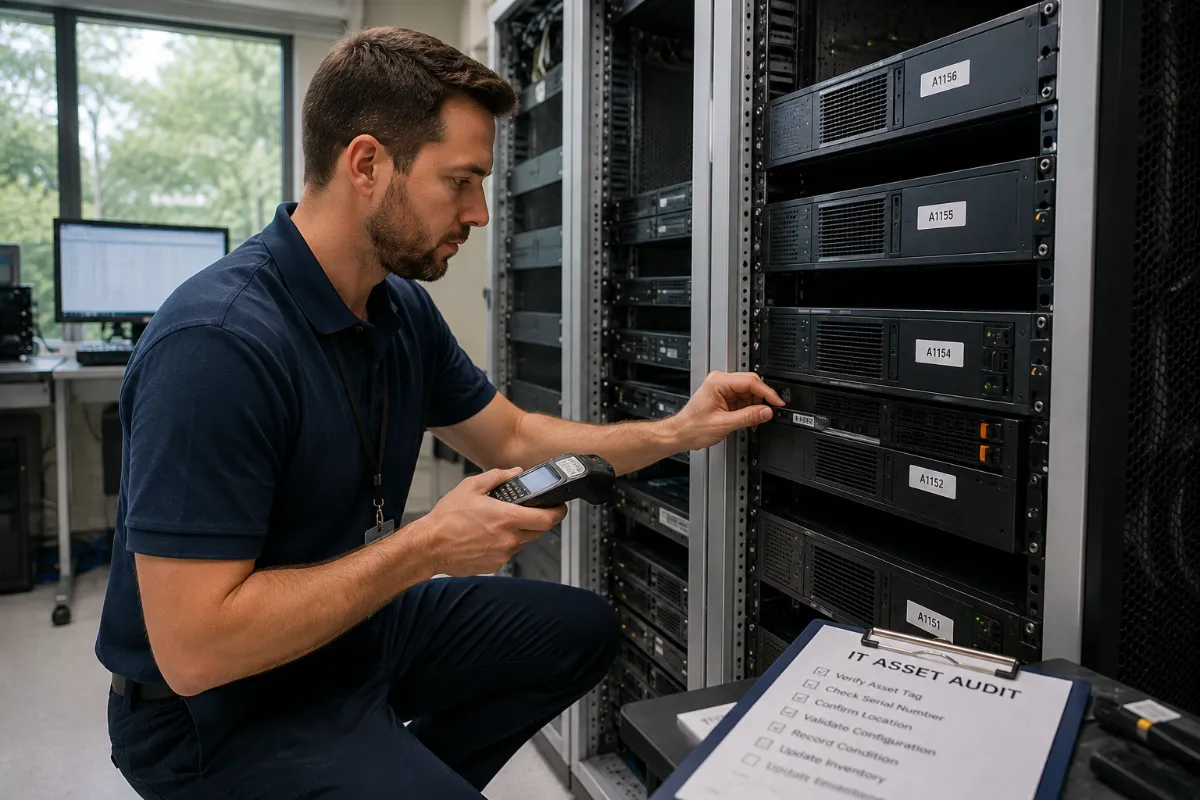
If your IT asset list does not match the equipment in your offices, storage rooms, racks, or data center, your organization has a visibility problem. That visibility gap can turn into missing devices, poor audit results, data risk, and delayed refresh projects.
IT asset inventory and auditing gives your team a clear record of what assets exist, where they are, who handled them, and how they were processed. It connects physical equipment to serial numbers, asset tags, locations, data destruction status, and final disposition.
For regulated teams, this is not just a paperwork task. It is a control point. A strong inventory process supports audit preparation, chain of custody, secure data destruction, asset reconciliation, and missing asset reports.
DES Technologies provides IT Asset Inventory & Auditing for organizations that need cleaner records, tighter control, and better documentation during refresh, relocation, ITAD, and data center projects.
What Is IT Asset Inventory and Auditing?
IT asset inventory and auditing is the process of identifying, scanning, tracking, reconciling, and reporting on technology assets. It helps organizations confirm what equipment they own, where it is located, what data risk it carries, and what happened to it during retirement or redeployment.
A complete audit may include:
- Barcode scanning
- Asset inventory
- Serialized reporting
- Chain of custody
- Audit preparation
- Asset reconciliation
- Missing asset reports
- Data-bearing media tracking
- Final disposition reporting
The purpose is simple: replace assumptions with proof.
The Core Pieces of a Strong IT Asset Audit
| Audit Control | What It Does | Why It Matters |
|---|---|---|
| Barcode scanning | Captures asset tags, serial numbers, and labels quickly | Reduces manual entry errors and speeds up field work |
| Asset inventory | Lists laptops, desktops, servers, storage, drives, tapes, and network gear | Creates one record of what equipment exists |
| Serialized reporting | Reports assets by serial number, model, quantity, status, and condition | Gives IT, finance, and compliance teams asset-level proof |
| Chain of custody | Tracks who handled each asset and where it moved | Helps prove control from pickup through processing |
| Audit preparation | Organizes records before internal, customer, or regulatory review | Reduces scramble time before an audit |
| Asset reconciliation | Compares physical inventory against existing records | Finds mismatches, duplicates, and outdated records |
| Missing asset reports | Identifies assets that cannot be found or verified | Gives teams a clear exception list for follow-up |
Why Barcode Scanning Beats Manual Tracking
Manual inventory work slows down quickly. A spreadsheet may work for a small closet, but it becomes unreliable when teams are tracking hundreds or thousands of devices across departments, offices, racks, or storage cages.
Barcode scanning improves the process because it captures data from physical assets with less friction. A scan can connect an asset tag, serial number, model, and location to the project record.
Barcode scanning also helps avoid common mistakes:
- Transposed serial numbers
- Duplicate entries
- Missed devices
- Unmatched asset tags
- Confusion between similar models
- Poor location tracking
For data-bearing assets, accuracy matters even more. A missed hard drive, SSD, laptop, or backup tape can create serious security and compliance risk.
What Serialized Reporting Should Include
Serialized reporting is the bridge between physical inventory and audit-ready documentation. It gives stakeholders a record they can review, filter, and verify.
At minimum, serialized reporting should include:
- Asset category
- Manufacturer
- Model
- Serial number
- Asset tag
- Quantity
- Location
- Condition
- Storage media status
- Data destruction status
- Final disposition
- Exceptions or notes
For data center projects, serialized reporting may also include rack location, chassis details, component details, drive counts, and configuration notes.
This level of reporting helps IT teams make better decisions. It also helps finance reconcile fixed asset records and helps compliance teams prove that equipment was managed correctly.
Chain of Custody: The Proof Behind the Process
Chain of custody shows who handled an asset, when it moved, and what happened next. It is especially important when equipment leaves your building or moves between teams, vendors, facilities, or processing areas.
A clean chain of custody record should show:
- Pickup location
- Transfer date
- Asset count
- Responsible parties
- Transport details
- Processing location
- Data destruction activity
- Final disposition
Without chain of custody, teams may know that equipment was removed, but they may not be able to prove where it went or how it was handled. That gap can become a problem during internal reviews, customer audits, cyber insurance questions, or regulatory checks.
Asset Reconciliation: Where Audit Problems Get Found
Asset reconciliation compares physical inventory against existing records. These records may come from a CMDB, fixed asset system, procurement file, spreadsheet, MDM platform, or prior ITAD report.
The goal is to find what matches, what is missing, and what needs review.
Common reconciliation results include:
- Matched assets
- Missing assets
- Duplicate records
- Retired assets still listed as active
- Active assets not found in the field
- Unknown assets with no matching record
- Assets with incorrect serial numbers or locations
This is where inventory work becomes valuable. It gives your team a clean action list instead of a vague concern.
Missing Asset Reports: Do Not Ignore the Exceptions
Missing asset reports are one of the most important outputs of an IT audit. They show which assets could not be located, verified, or matched.
A missing asset does not always mean something bad happened. Sometimes the record is old, the device was redeployed, or the serial number was entered incorrectly. But if the asset contains data, the exception needs attention.
A missing asset report should include:
- Expected asset details
- Last known location
- Assigned user or department
- Record source
- Reason for exception
- Follow-up owner
- Resolution status
This helps IT, security, and compliance teams close the loop.
How IT Asset Inventory Supports Data Destruction
Data destruction should start with accurate inventory. Your team needs to know which assets contain data, where the media is located, and which destruction method applies.
For example:
- A reusable laptop may need drive sanitization.
- A failed SSD may need physical destruction.
- A backup tape may need serialized tracking and destruction.
- A server may need drive removal, sanitization, or shredding.
- A storage array may need a drive-level inventory before processing.
NIST SP 800-88 Rev. 2 provides current guidance for media sanitization and disposal based on sensitivity and risk. For organizations handling healthcare, financial, education, government, or enterprise data, aligning inventory with NIST-based workflows helps reduce uncertainty.

When Organizations Need IT Asset Inventory and Auditing
Inventory and auditing services are useful any time equipment is moving, changing ownership, or reaching end of life.
Common projects include:
- Laptop and desktop refreshes
- Office relocations
- Data center decommissioning
- Storage cleanouts
- Mergers and acquisitions
- Healthcare technology refreshes
- School district upgrades
- Government equipment retirement
- Lease returns
- Internal compliance audits
The larger the project, the more important the documentation becomes.
Practical IT Asset Audit Checklist
Use this checklist before your next ITAD, refresh, or decommissioning project:
- Define the project scope and locations.
- Identify all asset categories.
- Gather current asset records.
- Confirm which assets may contain data.
- Use barcode scanning or serial capture.
- Record make, model, serial number, asset tag, and condition.
- Reconcile physical assets against existing records.
- Create a missing asset report.
- Track data-bearing media separately.
- Maintain chain of custody.
- Document data destruction status.
- Confirm final disposition.
- Store reports for audit preparation.
This checklist helps teams avoid the last-minute scramble that often happens when equipment is already packed, removed, or shipped.
Why Choose DES Technologies
DES Technologies helps organizations manage IT asset inventory and auditing with a risk-first process. We support barcode scanning, asset inventory, serialized reporting, chain of custody, asset reconciliation, missing asset reports, and audit preparation.
DES also connects inventory work to related services, including ITAD, secure data destruction, data center decommissioning, equipment refresh support, certified recycling, and value recovery.
For organizations in healthcare, education, government, enterprise IT, and data center environments, DES helps turn scattered records into usable documentation.
Request IT Asset Inventory & Auditing Support
If your organization is preparing for an audit, refresh, relocation, data center decommission, storage cleanout, or ITAD project, DES Technologies can help.
Start with DES IT Asset Inventory & Auditing to build a documented process for barcode scanning, serialized reporting, chain of custody, asset reconciliation, and missing asset reports.
FAQ
What is IT asset inventory and auditing?
IT asset inventory and auditing is the process of scanning, identifying, tracking, reconciling, and reporting on technology assets. It helps organizations prove what assets exist, where they moved, and how they were processed.
Why is barcode scanning important for asset inventory?
Barcode scanning reduces manual entry errors and speeds up asset capture. It helps teams connect equipment to serial numbers, asset tags, locations, and final disposition records.
What is serialized reporting in ITAD?
Serialized reporting is asset-level reporting that lists equipment by serial number. It can include make, model, asset tag, condition, data destruction status, recycling status, and final disposition.
What is asset reconciliation?
Asset reconciliation compares physical equipment against existing records. It helps teams find matched assets, missing assets, duplicate records, unknown devices, and outdated asset data.
Why do missing asset reports matter?
Missing asset reports identify equipment that cannot be found, matched, or verified. They help IT, security, finance, and compliance teams investigate exceptions and close audit gaps.