In today’s data-driven world, information is one of your organization’s most valuable assets—and one of its biggest liabilities if mishandled. Every retired laptop, decommissioned server, or outdated hard drive represents a potential security risk if it’s not properly destroyed. For IT managers, ensuring that data destruction processes are secure, compliant, and verifiable isn’t just a best practice—it’s a critical responsibility.
Yet many organizations assume their processes are “good enough” without ever formally auditing them. That’s where problems begin. Gaps in documentation, weak chain-of-custody controls, or reliance on outdated destruction methods can lead to data breaches, compliance violations, and reputational damage.
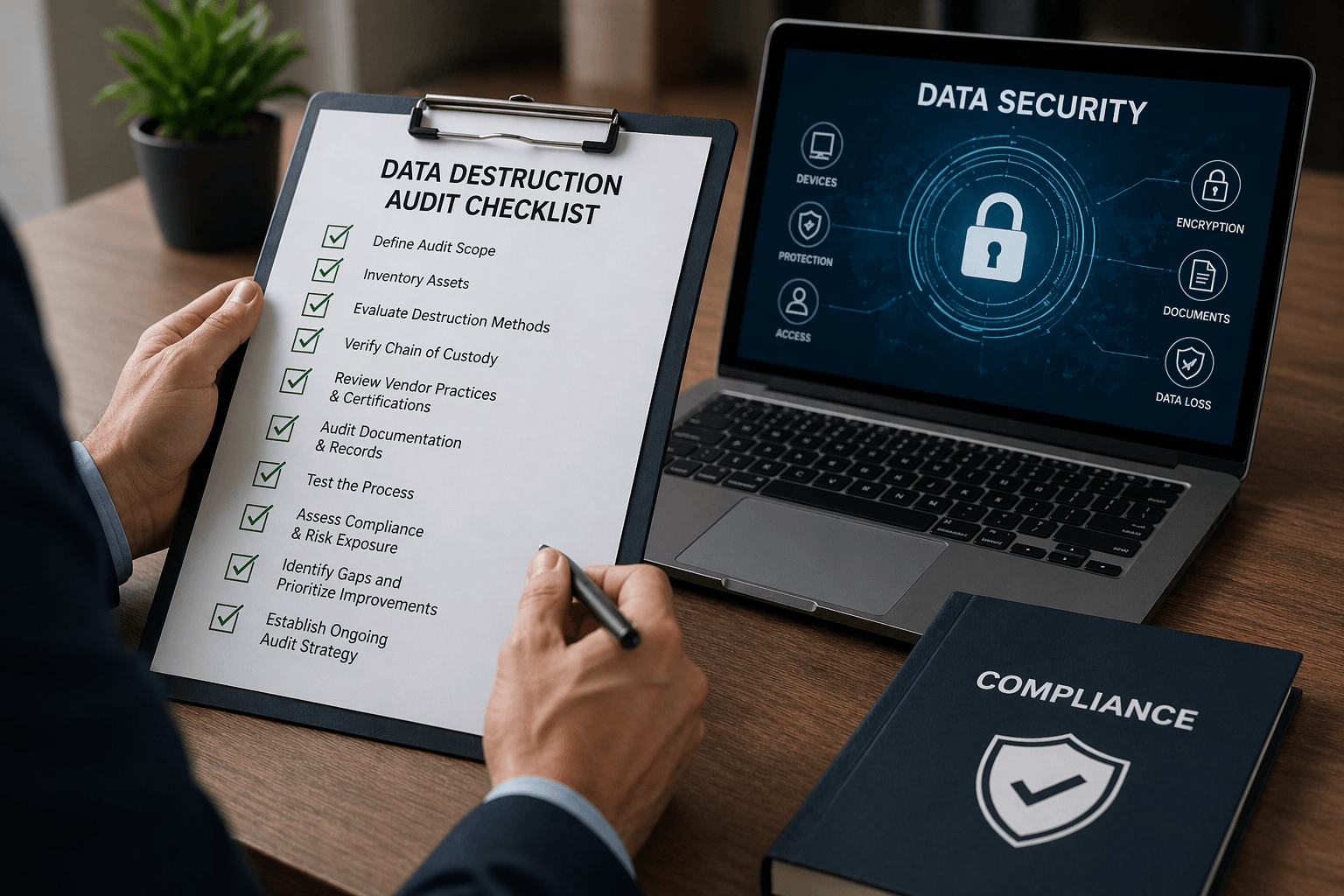
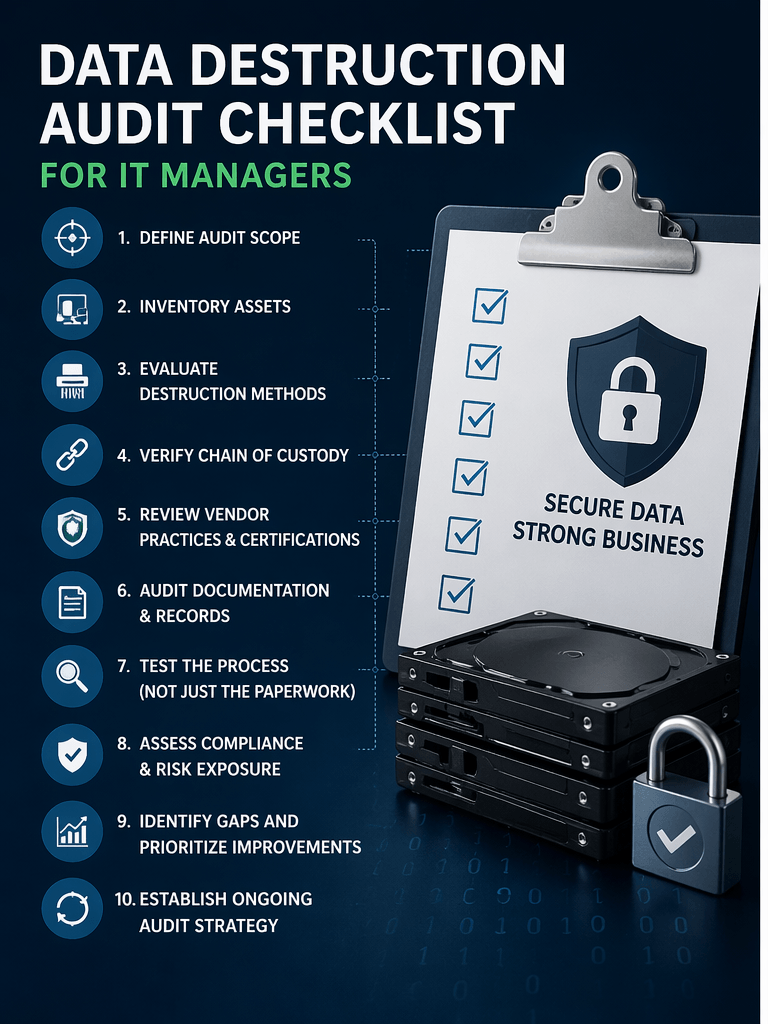
This guide walks you through a professional, step-by-step audit checklist to evaluate your data destruction process—so you can identify risks, strengthen controls, and ensure full compliance.
Why Auditing Your Data Destruction Process Matters
Before diving into the checklist, it’s important to understand what’s at stake.
A proper audit helps you:
- Verify that sensitive data is truly unrecoverable
- Ensure compliance with regulations and standards (like R2v3, HIPAA, or GDPR)
- Identify vulnerabilities in your chain of custody
- Confirm your vendors are doing what they claim
- Protect your organization from financial and reputational harm
Without an audit, you’re essentially trusting a process you haven’t validated—which is a major risk in today’s threat landscape.
Step 1: Define the Scope of Your Audit
Start by clearly outlining what you’re auditing.
Ask yourself:
- What types of devices are included? (laptops, servers, mobile devices, drives)
- Are you auditing internal processes, external vendors, or both?
- What locations or departments are involved?
- What time frame are you reviewing?
Pro tip: Don’t limit your scope too narrowly. Many risks occur during transitions—like device storage, transport, or third-party handling.
Step 2: Inventory All Data-Bearing Assets
You can’t secure what you don’t track.
Your audit should confirm that:
- Every data-bearing asset is accounted for
- Devices are properly logged from active use through retirement
- Serial numbers or asset tags are consistently recorded
- There are no “orphaned” or untracked devices
Red Flags to Watch For:
- Missing asset records
- Devices stored without documentation
- Inconsistent labeling practices
A complete, accurate inventory is the foundation of any secure data destruction process.
Step 3: Evaluate Your Data Destruction Methods
Not all destruction methods are created equal. Your audit should assess whether your current approach aligns with industry best practices.
Common Methods:
- Data wiping (software-based erasure)
- Degaussing (magnetic field disruption)
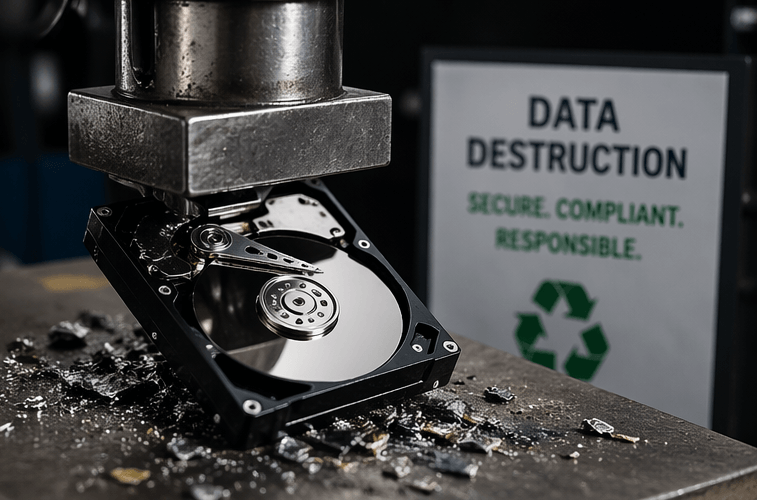
- Physical destruction (shredding, crushing, disintegration)
Key Questions:
- Are methods appropriate for each device type?
- Are you using certified wiping standards (e.g., NIST 800-88)?
- Is physical destruction used when required?
Red Flags:
- Reliance on outdated wiping techniques
- No verification that wiping was successful
- Using one method for all device types without evaluation
Your destruction method should match the sensitivity of your data and the compliance requirements you face.
Step 4: Verify Chain of Custody Controls
Chain of custody is one of the most overlooked—and most critical—areas in data destruction.
This step ensures that devices are tracked and secure from the moment they leave active use to final destruction.
Your Audit Should Confirm:
- Devices are logged at every transfer point
- Access is restricted to authorized personnel
- Storage areas are secure and monitored
- Transportation is documented and traceable
Questions to Ask:
- Who is responsible for devices at each stage?
- Are there gaps between handoffs?
- Is there real-time visibility into asset movement?
Red Flags:
- Unsecured storage areas
- Lack of documentation during transport
- No clear accountability
Even if your destruction method is flawless, a broken chain of custody can expose sensitive data before destruction ever happens.
Step 5: Review Vendor Practices and Certifications
If you use a third-party ITAD (IT Asset Disposition) vendor, your audit must go beyond surface-level trust.
Verify:
- Certifications (R2v3, ISO 9001, ISO 14001, ISO 45001)
- Documented processes for data destruction
- Employee background checks and training
- Facility security measures
Ask for Evidence:
- Certificates of destruction (CoDs)
- Audit reports
- Downstream vendor disclosures
Red Flags:
- Vague or incomplete documentation
- Refusal to share audit results
- Lack of transparency about downstream handling
Remember: outsourcing does not eliminate responsibility. Your organization is still accountable for what happens to your data.
Step 6: Audit Documentation and Recordkeeping
Documentation is your proof that destruction actually happened—and that it was done correctly.
Your Audit Should Confirm:
- Certificates of destruction are issued for every device or batch
- Records include serial numbers, dates, and methods used
- Documentation is securely stored and easily retrievable
- Retention policies meet compliance requirements
Questions to Ask:
- Can you quickly retrieve records for a specific device?
- Are records standardized across departments or vendors?
- How long are records retained?
Red Flags:
- Missing or incomplete certificates
- Generic documentation without device-level detail
- Disorganized or inaccessible records
In an audit or breach investigation, documentation is often your only line of defense.
Step 7: Test the Process (Not Just the Paperwork)
A real audit goes beyond reviewing documents—it validates that processes actually work.
Ways to Test:
- Conduct random spot checks on retired devices
- Attempt to trace a device through the entire lifecycle
- Verify destruction events with physical observation or video proof
- Simulate a compliance audit scenario
Questions to Ask:
- Does reality match documented procedures?
- Are employees following protocols consistently?
- Are there shortcuts being taken under pressure?
Red Flags:
- Processes that only exist “on paper”
- Employees unaware of procedures
- Inconsistent execution across teams
Testing reveals gaps that documentation alone cannot.
Step 8: Assess Compliance and Risk Exposure
Now that you’ve gathered all your findings, evaluate your overall compliance posture.
Consider:
- Are you meeting regulatory requirements relevant to your industry?
- Are there gaps that could lead to fines or legal exposure?
- How does your process compare to industry standards?
Risk Areas:
- Personally identifiable information (PII)
- Financial data
- Healthcare records
- Intellectual property
Red Flags:
- No formal compliance framework
- Lack of alignment with recognized standards
- Unaddressed vulnerabilities identified in past audits
Your goal is not just compliance—but resilience against evolving threats.
Step 9: Identify Gaps and Prioritize Improvements
No process is perfect. The purpose of your audit is to uncover weaknesses and fix them.
Common Gaps:
- Incomplete asset tracking
- Weak chain of custody
- Insufficient vendor oversight
- Poor documentation practices
Prioritization Strategy:
- Address high-risk vulnerabilities first
- Focus on compliance-critical gaps
- Implement quick wins alongside long-term improvements
Step 10: Build an Ongoing Audit Strategy
A one-time audit is not enough. Data destruction processes must evolve with your organization and the threat landscape.
Best Practices:
- Schedule regular audits (quarterly or annually)
- Update policies as regulations change
- Train staff continuously
- Re-evaluate vendors periodically
Pro Tip:
Turn your audit checklist into a standard operating procedure (SOP) so audits become routine—not reactive.
Final Thoughts: Turning Audit Insights Into Action
Auditing your data destruction process isn’t just about checking boxes—it’s about protecting your organization at every level.
A strong audit ensures:
- Your data is truly destroyed—not just assumed to be
- Your processes are defensible in the face of audits or incidents
- Your organization maintains trust with customers and stakeholders
For IT managers, this is an opportunity to move from reactive risk management to proactive security leadership.
Because at the end of the day, the question isn’t whether your data destruction process exists—it’s whether it actually works.